For Downloading RTF template:
java oracle.apps.xdo.oa.util.XDOLoader DOWNLOAD
-DB_USERNAME
-DB_PASSWORD
-JDBC_CONNECTION
-LOB_TYPE
-APPS_SHORT_NAME
-LOB_CODE
-LANGUAGE
-TERRITORY
-LOG_FILE
For Uploading RTF template:
java oracle.apps.xdo.oa.util.XDOLoader UPLOAD
-DB_USERNAME
-DB_PASSWORD
-JDBC_CONNECTION
-LOB_TYPE
-APPS_SHORT_NAME
-LOB_CODE
-LANGUAGE
-TERRITORY
-XDO_FILE_TYPE
-NLS_LANG
-FILE_CONTENT_TYPE
-FILE_NAME
-OWNER
-CUSTOM_MODE [FORCE|NOFORCE]
-LOG_FILE
Friday, January 28, 2011


Tuesday, January 25, 2011
Oracle R12: Script to update Serial Numbers on Install Base
/* Formatted on 2011/01/25 14:10 (Formatter Plus v4.8.0) */
DECLARE
CURSOR ib_cur
IS
SELECT cii.instance_id, cii.serial_number, cii.inventory_item_id,
cii.object_version_number
FROM csi_item_instances cii
WHERE 1 = 1 AND cii.instance_id = :ip_instance_id
ORDER BY 1;
TYPE ib_rec_tbl_type IS TABLE OF ib_cur%ROWTYPE;
ib_rec_tbl ib_rec_tbl_type;
l_api_version CONSTANT NUMBER := 1.0;
l_msg_count NUMBER;
l_msg_data VARCHAR2 (2000);
l_msg_index NUMBER;
l_instance_id_lst csi_datastructures_pub.id_tbl;
l_instance_header_rec csi_datastructures_pub.instance_header_rec;
l_party_header_tbl csi_datastructures_pub.party_header_tbl;
l_party_acct_header_tbl csi_datastructures_pub.party_account_header_tbl;
l_org_unit_header_tbl csi_datastructures_pub.org_units_header_tbl;
l_instance_rec csi_datastructures_pub.instance_rec;
l_party_tbl csi_datastructures_pub.party_tbl;
l_account_tbl csi_datastructures_pub.party_account_tbl;
l_pricing_attrib_tbl csi_datastructures_pub.pricing_attribs_tbl;
l_org_assignments_tbl csi_datastructures_pub.organization_units_tbl;
l_asset_assignment_tbl csi_datastructures_pub.instance_asset_tbl;
l_ext_attrib_values_tbl csi_datastructures_pub.extend_attrib_values_tbl;
l_pricing_attribs_tbl csi_datastructures_pub.pricing_attribs_tbl;
l_ext_attrib_tbl csi_datastructures_pub.extend_attrib_values_tbl;
l_ext_attrib_def_tbl csi_datastructures_pub.extend_attrib_tbl;
l_asset_header_tbl csi_datastructures_pub.instance_asset_header_tbl;
l_txn_rec csi_datastructures_pub.transaction_rec;
l_return_status VARCHAR2 (5);
lc_init_msg_lst VARCHAR2 (1) := 'T';
ln_validation_level NUMBER;
lc_error_text VARCHAR2 (4000);
BEGIN
OPEN ib_cur;
FETCH ib_cur
BULK COLLECT INTO ib_rec_tbl;
CLOSE ib_cur;
IF ib_rec_tbl.COUNT > 0
THEN
DBMS_OUTPUT.put_line ('Begin loop');
FOR i IN ib_rec_tbl.FIRST .. ib_rec_tbl.LAST
LOOP
l_instance_header_rec.instance_id := ib_rec_tbl (i).instance_id;
csi_item_instance_pub.get_item_instance_details
(p_api_version => l_api_version,
p_commit => fnd_api.g_false,
p_init_msg_list => fnd_api.g_false,
p_validation_level => fnd_api.g_valid_level_full,
p_instance_rec => l_instance_header_rec,
p_get_parties => fnd_api.g_true,
p_party_header_tbl => l_party_header_tbl,
p_get_accounts => fnd_api.g_true,
p_account_header_tbl => l_party_acct_header_tbl,
p_get_org_assignments => fnd_api.g_true,
p_org_header_tbl => l_org_unit_header_tbl,
p_get_pricing_attribs => fnd_api.g_false,
p_pricing_attrib_tbl => l_pricing_attribs_tbl,
p_get_ext_attribs => fnd_api.g_false,
p_ext_attrib_tbl => l_ext_attrib_tbl,
p_ext_attrib_def_tbl => l_ext_attrib_def_tbl,
p_get_asset_assignments => fnd_api.g_false,
p_asset_header_tbl => l_asset_header_tbl,
p_resolve_id_columns => fnd_api.g_false,
p_time_stamp => SYSDATE,
x_return_status => l_return_status,
x_msg_count => l_msg_count,
x_msg_data => l_msg_data
);
lc_error_text := NULL;
l_instance_rec.instance_id := l_instance_header_rec.instance_id;
l_txn_rec.transaction_id := fnd_api.g_miss_num;
l_txn_rec.transaction_date := SYSDATE;
l_txn_rec.source_transaction_date := SYSDATE;
l_txn_rec.transaction_type_id := 205;
l_instance_rec.serial_number := :ip_new_serial_number;
l_instance_rec.object_version_number :=
l_instance_header_rec.object_version_number;
DBMS_OUTPUT.put_line ( 'Updating IB record for IB# '
|| ib_rec_tbl (i).instance_id
);
csi_item_instance_pub.update_item_instance
(p_api_version => l_api_version,
p_commit => 'F',
p_init_msg_list => lc_init_msg_lst,
p_validation_level => ln_validation_level,
p_instance_rec => l_instance_rec,
p_ext_attrib_values_tbl => l_ext_attrib_values_tbl,
p_party_tbl => l_party_tbl,
p_account_tbl => l_account_tbl,
p_pricing_attrib_tbl => l_pricing_attrib_tbl,
p_org_assignments_tbl => l_org_assignments_tbl,
p_asset_assignment_tbl => l_asset_assignment_tbl,
p_txn_rec => l_txn_rec,
x_instance_id_lst => l_instance_id_lst,
x_return_status => l_return_status,
x_msg_count => l_msg_count,
x_msg_data => l_msg_data
);
IF l_return_status <> 'S'
THEN
DBMS_OUTPUT.put_line
( 'Error updating the install base for IB# '
|| ib_rec_tbl (i).instance_id
);
FOR i IN 1 .. l_msg_count
LOOP
fnd_msg_pub.get (p_msg_index => -1,
p_encoded => 'F',
p_data => l_msg_data,
p_msg_index_out => l_msg_index
);
lc_error_text := lc_error_text
|| (SUBSTR (l_msg_data, 1, 255));
END LOOP;
DBMS_OUTPUT.put_line (lc_error_text);
ELSE
DBMS_OUTPUT.put_line
( 'Install base update successful for IB# '
|| ib_rec_tbl (i).instance_id
);
lc_error_text := 'SUCCESS!';
COMMIT;
END IF;
END LOOP;
END IF;
EXCEPTION
WHEN NO_DATA_FOUND
THEN
DBMS_OUTPUT.put_line ('No records to process');
WHEN OTHERS
THEN
DBMS_OUTPUT.put_line ('Error in update_ib procedure');
DBMS_OUTPUT.put_line (TO_CHAR (SQLCODE) || ' - ' || SQLERRM);
END;
DECLARE
CURSOR ib_cur
IS
SELECT cii.instance_id, cii.serial_number, cii.inventory_item_id,
cii.object_version_number
FROM csi_item_instances cii
WHERE 1 = 1 AND cii.instance_id = :ip_instance_id
ORDER BY 1;
TYPE ib_rec_tbl_type IS TABLE OF ib_cur%ROWTYPE;
ib_rec_tbl ib_rec_tbl_type;
l_api_version CONSTANT NUMBER := 1.0;
l_msg_count NUMBER;
l_msg_data VARCHAR2 (2000);
l_msg_index NUMBER;
l_instance_id_lst csi_datastructures_pub.id_tbl;
l_instance_header_rec csi_datastructures_pub.instance_header_rec;
l_party_header_tbl csi_datastructures_pub.party_header_tbl;
l_party_acct_header_tbl csi_datastructures_pub.party_account_header_tbl;
l_org_unit_header_tbl csi_datastructures_pub.org_units_header_tbl;
l_instance_rec csi_datastructures_pub.instance_rec;
l_party_tbl csi_datastructures_pub.party_tbl;
l_account_tbl csi_datastructures_pub.party_account_tbl;
l_pricing_attrib_tbl csi_datastructures_pub.pricing_attribs_tbl;
l_org_assignments_tbl csi_datastructures_pub.organization_units_tbl;
l_asset_assignment_tbl csi_datastructures_pub.instance_asset_tbl;
l_ext_attrib_values_tbl csi_datastructures_pub.extend_attrib_values_tbl;
l_pricing_attribs_tbl csi_datastructures_pub.pricing_attribs_tbl;
l_ext_attrib_tbl csi_datastructures_pub.extend_attrib_values_tbl;
l_ext_attrib_def_tbl csi_datastructures_pub.extend_attrib_tbl;
l_asset_header_tbl csi_datastructures_pub.instance_asset_header_tbl;
l_txn_rec csi_datastructures_pub.transaction_rec;
l_return_status VARCHAR2 (5);
lc_init_msg_lst VARCHAR2 (1) := 'T';
ln_validation_level NUMBER;
lc_error_text VARCHAR2 (4000);
BEGIN
OPEN ib_cur;
FETCH ib_cur
BULK COLLECT INTO ib_rec_tbl;
CLOSE ib_cur;
IF ib_rec_tbl.COUNT > 0
THEN
DBMS_OUTPUT.put_line ('Begin loop');
FOR i IN ib_rec_tbl.FIRST .. ib_rec_tbl.LAST
LOOP
l_instance_header_rec.instance_id := ib_rec_tbl (i).instance_id;
csi_item_instance_pub.get_item_instance_details
(p_api_version => l_api_version,
p_commit => fnd_api.g_false,
p_init_msg_list => fnd_api.g_false,
p_validation_level => fnd_api.g_valid_level_full,
p_instance_rec => l_instance_header_rec,
p_get_parties => fnd_api.g_true,
p_party_header_tbl => l_party_header_tbl,
p_get_accounts => fnd_api.g_true,
p_account_header_tbl => l_party_acct_header_tbl,
p_get_org_assignments => fnd_api.g_true,
p_org_header_tbl => l_org_unit_header_tbl,
p_get_pricing_attribs => fnd_api.g_false,
p_pricing_attrib_tbl => l_pricing_attribs_tbl,
p_get_ext_attribs => fnd_api.g_false,
p_ext_attrib_tbl => l_ext_attrib_tbl,
p_ext_attrib_def_tbl => l_ext_attrib_def_tbl,
p_get_asset_assignments => fnd_api.g_false,
p_asset_header_tbl => l_asset_header_tbl,
p_resolve_id_columns => fnd_api.g_false,
p_time_stamp => SYSDATE,
x_return_status => l_return_status,
x_msg_count => l_msg_count,
x_msg_data => l_msg_data
);
lc_error_text := NULL;
l_instance_rec.instance_id := l_instance_header_rec.instance_id;
l_txn_rec.transaction_id := fnd_api.g_miss_num;
l_txn_rec.transaction_date := SYSDATE;
l_txn_rec.source_transaction_date := SYSDATE;
l_txn_rec.transaction_type_id := 205;
l_instance_rec.serial_number := :ip_new_serial_number;
l_instance_rec.object_version_number :=
l_instance_header_rec.object_version_number;
DBMS_OUTPUT.put_line ( 'Updating IB record for IB# '
|| ib_rec_tbl (i).instance_id
);
csi_item_instance_pub.update_item_instance
(p_api_version => l_api_version,
p_commit => 'F',
p_init_msg_list => lc_init_msg_lst,
p_validation_level => ln_validation_level,
p_instance_rec => l_instance_rec,
p_ext_attrib_values_tbl => l_ext_attrib_values_tbl,
p_party_tbl => l_party_tbl,
p_account_tbl => l_account_tbl,
p_pricing_attrib_tbl => l_pricing_attrib_tbl,
p_org_assignments_tbl => l_org_assignments_tbl,
p_asset_assignment_tbl => l_asset_assignment_tbl,
p_txn_rec => l_txn_rec,
x_instance_id_lst => l_instance_id_lst,
x_return_status => l_return_status,
x_msg_count => l_msg_count,
x_msg_data => l_msg_data
);
IF l_return_status <> 'S'
THEN
DBMS_OUTPUT.put_line
( 'Error updating the install base for IB# '
|| ib_rec_tbl (i).instance_id
);
FOR i IN 1 .. l_msg_count
LOOP
fnd_msg_pub.get (p_msg_index => -1,
p_encoded => 'F',
p_data => l_msg_data,
p_msg_index_out => l_msg_index
);
lc_error_text := lc_error_text
|| (SUBSTR (l_msg_data, 1, 255));
END LOOP;
DBMS_OUTPUT.put_line (lc_error_text);
ELSE
DBMS_OUTPUT.put_line
( 'Install base update successful for IB# '
|| ib_rec_tbl (i).instance_id
);
lc_error_text := 'SUCCESS!';
COMMIT;
END IF;
END LOOP;
END IF;
EXCEPTION
WHEN NO_DATA_FOUND
THEN
DBMS_OUTPUT.put_line ('No records to process');
WHEN OTHERS
THEN
DBMS_OUTPUT.put_line ('Error in update_ib procedure');
DBMS_OUTPUT.put_line (TO_CHAR (SQLCODE) || ' - ' || SQLERRM);
END;
Thursday, January 20, 2011
Oracle Receivables Module Technical Details
Oracle Accounts Receivable uses the following tables for recording customer account information:
The major tables containing parties and customer accounts information in Oracle Receivables are grouped by business function.
• HZ_PARTIES
• HZ_CUST_ACCOUNTS
• HZ_PARTY_SITES
• HZ_CUST_ACCT_SITES_ALL
• HZ_CUST_SITE_USES_ALL
• HZ_LOCATIONS
• HZ_PARTY_RELATIONSHIPS
• HZ_ORGANIZATION_PROFILES
• HZ_CONTACT_POINTS
• HZ_CUST_ACCOUNT_ROLES
• HZ_PERSON_PROFILES
• HZ_ORG_CONTACTS
Transaction Tables
• RA_CUSTOMER_TRX_ALL
• RA_CUSTOMER_TRX_LINES_ALL
• RA_CUST_TRX_LINE_GL_DIST_ALL
• AR_PAYMENT_SCHEDULES_ALL
• AR_CASH_RECEIPTS_ALL
• AR_CASH_RECEIPT_HISTORY_ALL
• AR_RECEIVABLE_APPLICATIONS_ALL
• AR_ADJUSTMENTS_ALL
HZ_PARTIES
A party is an entity that can enter into a business relationship.
This table stores basic information about parties, which is true regardless of this relationship to the deploying company. Entities are modeled only once in HZ_PARTIES, regardless of how many roles they play. For example, if an organization is a customer, a distributor, and a partner, there is still only one record for them in HZ_PARTIES.
Parties can be one of four types:
Organization - Oracle Corporation
Person - Jane Doe
Group – Doc Household
Relationship - Jane Doe at Oracle Corporation
HZ_LOCATIONS
A location is a point in geographical space described by an address and/or geographical Indicators such as latitude or longitude.
• This table stores information about an address such as: street address and postal code.
• This table provides physical location information about parties (organizations and people) and customer accounts.
• Records in HZ_LOCATIONS can store delivery and postal code information about a location, store latitude and longitude, and can be used to determine the appropriate calculations and tax rates for sales tax and VAT calculations.
HZ_PARTY_SITES
This table links a party (HZ_PARTIES) and a location (HZ_LOCATIONS) and stores location-Specific party information such as a person’s mail stops at their work address.
• One party can point to one or more party sites.
• One location can point to one or more party site.
• Party sites serve as the intersection between parties and locations, allowing for a many-to-many relationship between the two.
HZ_RELATIONSHIPS
This table stores information about relationships between two entities, for example, one party and another party.
• The SUBJECT_ID and OBJECT_ID columns specify the relationship that exists between two parties. For example, if the party relationship type is “Parent Of,” then a holding company could be the “SUBJECT_ID” in the relationship while one of its subsidiaries could be the OBJECT_ID. Creating a party contact causes a party relationship to be created.
• A party can have different relationships with one or more other parties that can change over time.
HZ_ORGANIZATION_PROFILES
This table stores a variety of information about a party of type Organization.
• This table gets populated when a party of type ORGANIZATION is created.
• Historical data is also stored in this table.
HZ_PERSON_PROFILES
This table stores a variety of information about a party of type Person.
• For example, this table could contain the correct spelling and phonetic pronunciation of the person’s name.
• Some information in this table may also be entered into the HZ_PARTIES table.
HZ_ORG_CONTACTS
This table stores a variety of information about an organization contact.
• The records in this table provide information about a contact position such as job title, rank, and department.
• This table is not used to store information about a specific person or organization. For example, this table may include a record for the position of Vice President of Manufacturing that indicates that the contact is a senior executive, but it would not include the name of the person in that position.
HZ_CUST_ACCOUNTS
This table stores information about customer/financial relationships established between a Party and the deploying company.
• Because a party can have multiple customer accounts, this table may contain several records for a single party. For example, an individual person may establish a personal account, a family account, and a professional account for a consulting practice.
HZ_CUST_ACCT_SITES_ALL
This table stores information about customer/financial account sites information.
Stores information about customer sites. One customer account can have multiple sites.
HZ_CUST_SITE_USES_ALL
This table stores information about the business purposes assigned to a customer account site.
• A customer account site can have multiple purposes, but each record in this table only specifies one purpose for a customer account site. For example, a customer account site may be assigned as a ship-to site in one record and as a bill-to site in another record.
HZ_CUST_ACCOUNT_ROLES
This table stores information about a role or function that a party performs as related to a customer account. For example, Jane Doe might be the Legal Contact for a specific customer account of Corporation ABC. Note that account ownership such as financial responsibility for an account is determined by the single party ID that is stored directly on the HZ_CUST_ACCOUNTS table.
HZ_CONTACT_POINTS
This table stores information about how to communicate with parties or party sites using electronic media or methods such as Electronic Data Interchange (EDI), e-mail, telephone, telex, and the Internet.
• Each medium or method should be stored as a separate method in this table. For example, the attributes of a complete telephone number connection should be stored in a record, while EDI information should be stored in a different record.
RA_CUSTOMER_TRX_ALL
This table stores invoice, debit memo, commit-ment, chargeback, bills receivable, and credit memo header information.
• Each row includes general invoice information such as customer, transaction type, and printing instructions.
• You need one row for each invoice, debit memo, commitment, and credit memo you create in Oracle Receivables and these are all distinguished by their transaction types stored in RA_CUST_ TRX_ TYPES_ALL.
RA_CUSTOMER_TRX_LINES_ALL
This table stores information about invoice, debit memo, credit memo, bills receivable, and commitment lines. It describes to the customer the charges that appear on these documents.
AR_PAYMENT_SCHEDULES_ALL
This table stores all transactions except adjust-ments and miscellaneous cash receipts. A miscellaneous cash receipt is one that is not connected to a customer.
• All customer-related activity is logged in this table.
• This table is updated when an activity occurs against an invoice, debit memo, chargeback, credit memo, on-account credit, bills receivable,
receipt, or commitments.
RA_CUST_TRX_TYPES_ALL
This table stores information about each transaction type for all classes of transactions, for example, invoices, commitments, and credit memos.
• Each row includes Auto Accounting information
as well as standard defaults for the resulting invoices. The primary key for this table is CUST_TRX_TYPE_ID.
AR_TRANSACTION_HISTORY_ALL
This table is a Bills Receivable-specific table containing the history of a transaction’s lifecycle.
• A new row is created each time there is activity on the transaction or the status of the transaction has changed.
• This table stores the header for the Receivables posting information.
AR_DISTRIBUTIONS_ALL
This table stores the accounting distributions for cash receipts, miscellaneous receipts, adjustments, credit memo applications, cash receipt applications, and bills receivable transactions.
AR_CASH_RECEIPTS_ALL
This table stores one record for each receipt entry.
• All cash receipts are logged in this table.
• Oracle Receivables creates records concurrently in the AR_CASH _RECEIPT_ HISTORY_ ALL, AR_PAYMENT_ SCHEDULES_ ALL, AR_DISTRI-BUTIONS_ALL, and AR_ RECEIVABLE_ APPLICA-TIONS_ALL tables for invoice-related receipts.
• For receipts that are not related to invoices, records are created in the AR_MISC_CASH_ DISTRIBUTIONS_ALL table instead of the AR_RECEIVABLE_APPLICATIONS_ ALL table.
AR_CASH_RECEIPT_HISTORY_ALL
This table stores all of the activity that is contained for the life cycle of a receipt.
• Each row represents one step.
• The status field for that row tells you which step the receipt has reached.
• Possible statuses are Approved, Confirmed, Remitted, Cleared, and Reversed.
AR_RECEIVABLE_APPLICATIONS_ALL
This table stores all accounting entries for cash and credit memo applications.
• Each row includes the amount applied, status, and accounting flex field information.
AR_MISC_CASH_DISTRIBUTIONS_ALL
This table stores all accounting entries for miscellaneous cash applications.
• Miscellaneous cash cannot be invoiced, such as stock revenue, interest income, and investment income.
• AR_CASH_RECEIPTS_ALL stores one record for each payment, and this table stores one record for each distribution of the receipt.
AR_RECEIPT_CLASSES
This table stores the different receipt classes that you define.
• Receipt classes determine whether the receipt[s] belonging to this class are created manually or automatically, and whether the receipts go through the different steps in a receipt’s life-cycle.
AR_RECEIPT_METHODS
This table stores information about Payment Methods, receipt attributes that you define and assign to Receipt Classes to account for receipts and their applications.
• For automatically created receipts, a Payment Method defines the rules for creating these receipts.
• For manually created receipts, a Payment Method defines a user-definable type for the receipt.
• Each Payment Method is associated with a set of bank accounts, which forms the set of bank accounts you can assign to your receipt.
AR_ADJUSTMENTS_ALL
This table stores information about the adjustment applied to the Invoices.
The major tables containing parties and customer accounts information in Oracle Receivables are grouped by business function.
• HZ_PARTIES
• HZ_CUST_ACCOUNTS
• HZ_PARTY_SITES
• HZ_CUST_ACCT_SITES_ALL
• HZ_CUST_SITE_USES_ALL
• HZ_LOCATIONS
• HZ_PARTY_RELATIONSHIPS
• HZ_ORGANIZATION_PROFILES
• HZ_CONTACT_POINTS
• HZ_CUST_ACCOUNT_ROLES
• HZ_PERSON_PROFILES
• HZ_ORG_CONTACTS
Transaction Tables
• RA_CUSTOMER_TRX_ALL
• RA_CUSTOMER_TRX_LINES_ALL
• RA_CUST_TRX_LINE_GL_DIST_ALL
• AR_PAYMENT_SCHEDULES_ALL
• AR_CASH_RECEIPTS_ALL
• AR_CASH_RECEIPT_HISTORY_ALL
• AR_RECEIVABLE_APPLICATIONS_ALL
• AR_ADJUSTMENTS_ALL
HZ_PARTIES
A party is an entity that can enter into a business relationship.
This table stores basic information about parties, which is true regardless of this relationship to the deploying company. Entities are modeled only once in HZ_PARTIES, regardless of how many roles they play. For example, if an organization is a customer, a distributor, and a partner, there is still only one record for them in HZ_PARTIES.
Parties can be one of four types:
Organization - Oracle Corporation
Person - Jane Doe
Group – Doc Household
Relationship - Jane Doe at Oracle Corporation
HZ_LOCATIONS
A location is a point in geographical space described by an address and/or geographical Indicators such as latitude or longitude.
• This table stores information about an address such as: street address and postal code.
• This table provides physical location information about parties (organizations and people) and customer accounts.
• Records in HZ_LOCATIONS can store delivery and postal code information about a location, store latitude and longitude, and can be used to determine the appropriate calculations and tax rates for sales tax and VAT calculations.
HZ_PARTY_SITES
This table links a party (HZ_PARTIES) and a location (HZ_LOCATIONS) and stores location-Specific party information such as a person’s mail stops at their work address.
• One party can point to one or more party sites.
• One location can point to one or more party site.
• Party sites serve as the intersection between parties and locations, allowing for a many-to-many relationship between the two.
HZ_RELATIONSHIPS
This table stores information about relationships between two entities, for example, one party and another party.
• The SUBJECT_ID and OBJECT_ID columns specify the relationship that exists between two parties. For example, if the party relationship type is “Parent Of,” then a holding company could be the “SUBJECT_ID” in the relationship while one of its subsidiaries could be the OBJECT_ID. Creating a party contact causes a party relationship to be created.
• A party can have different relationships with one or more other parties that can change over time.
HZ_ORGANIZATION_PROFILES
This table stores a variety of information about a party of type Organization.
• This table gets populated when a party of type ORGANIZATION is created.
• Historical data is also stored in this table.
HZ_PERSON_PROFILES
This table stores a variety of information about a party of type Person.
• For example, this table could contain the correct spelling and phonetic pronunciation of the person’s name.
• Some information in this table may also be entered into the HZ_PARTIES table.
HZ_ORG_CONTACTS
This table stores a variety of information about an organization contact.
• The records in this table provide information about a contact position such as job title, rank, and department.
• This table is not used to store information about a specific person or organization. For example, this table may include a record for the position of Vice President of Manufacturing that indicates that the contact is a senior executive, but it would not include the name of the person in that position.
HZ_CUST_ACCOUNTS
This table stores information about customer/financial relationships established between a Party and the deploying company.
• Because a party can have multiple customer accounts, this table may contain several records for a single party. For example, an individual person may establish a personal account, a family account, and a professional account for a consulting practice.
HZ_CUST_ACCT_SITES_ALL
This table stores information about customer/financial account sites information.
Stores information about customer sites. One customer account can have multiple sites.
HZ_CUST_SITE_USES_ALL
This table stores information about the business purposes assigned to a customer account site.
• A customer account site can have multiple purposes, but each record in this table only specifies one purpose for a customer account site. For example, a customer account site may be assigned as a ship-to site in one record and as a bill-to site in another record.
HZ_CUST_ACCOUNT_ROLES
This table stores information about a role or function that a party performs as related to a customer account. For example, Jane Doe might be the Legal Contact for a specific customer account of Corporation ABC. Note that account ownership such as financial responsibility for an account is determined by the single party ID that is stored directly on the HZ_CUST_ACCOUNTS table.
HZ_CONTACT_POINTS
This table stores information about how to communicate with parties or party sites using electronic media or methods such as Electronic Data Interchange (EDI), e-mail, telephone, telex, and the Internet.
• Each medium or method should be stored as a separate method in this table. For example, the attributes of a complete telephone number connection should be stored in a record, while EDI information should be stored in a different record.
RA_CUSTOMER_TRX_ALL
This table stores invoice, debit memo, commit-ment, chargeback, bills receivable, and credit memo header information.
• Each row includes general invoice information such as customer, transaction type, and printing instructions.
• You need one row for each invoice, debit memo, commitment, and credit memo you create in Oracle Receivables and these are all distinguished by their transaction types stored in RA_CUST_ TRX_ TYPES_ALL.
RA_CUSTOMER_TRX_LINES_ALL
This table stores information about invoice, debit memo, credit memo, bills receivable, and commitment lines. It describes to the customer the charges that appear on these documents.
AR_PAYMENT_SCHEDULES_ALL
This table stores all transactions except adjust-ments and miscellaneous cash receipts. A miscellaneous cash receipt is one that is not connected to a customer.
• All customer-related activity is logged in this table.
• This table is updated when an activity occurs against an invoice, debit memo, chargeback, credit memo, on-account credit, bills receivable,
receipt, or commitments.
RA_CUST_TRX_TYPES_ALL
This table stores information about each transaction type for all classes of transactions, for example, invoices, commitments, and credit memos.
• Each row includes Auto Accounting information
as well as standard defaults for the resulting invoices. The primary key for this table is CUST_TRX_TYPE_ID.
AR_TRANSACTION_HISTORY_ALL
This table is a Bills Receivable-specific table containing the history of a transaction’s lifecycle.
• A new row is created each time there is activity on the transaction or the status of the transaction has changed.
• This table stores the header for the Receivables posting information.
AR_DISTRIBUTIONS_ALL
This table stores the accounting distributions for cash receipts, miscellaneous receipts, adjustments, credit memo applications, cash receipt applications, and bills receivable transactions.
AR_CASH_RECEIPTS_ALL
This table stores one record for each receipt entry.
• All cash receipts are logged in this table.
• Oracle Receivables creates records concurrently in the AR_CASH _RECEIPT_ HISTORY_ ALL, AR_PAYMENT_ SCHEDULES_ ALL, AR_DISTRI-BUTIONS_ALL, and AR_ RECEIVABLE_ APPLICA-TIONS_ALL tables for invoice-related receipts.
• For receipts that are not related to invoices, records are created in the AR_MISC_CASH_ DISTRIBUTIONS_ALL table instead of the AR_RECEIVABLE_APPLICATIONS_ ALL table.
AR_CASH_RECEIPT_HISTORY_ALL
This table stores all of the activity that is contained for the life cycle of a receipt.
• Each row represents one step.
• The status field for that row tells you which step the receipt has reached.
• Possible statuses are Approved, Confirmed, Remitted, Cleared, and Reversed.
AR_RECEIVABLE_APPLICATIONS_ALL
This table stores all accounting entries for cash and credit memo applications.
• Each row includes the amount applied, status, and accounting flex field information.
AR_MISC_CASH_DISTRIBUTIONS_ALL
This table stores all accounting entries for miscellaneous cash applications.
• Miscellaneous cash cannot be invoiced, such as stock revenue, interest income, and investment income.
• AR_CASH_RECEIPTS_ALL stores one record for each payment, and this table stores one record for each distribution of the receipt.
AR_RECEIPT_CLASSES
This table stores the different receipt classes that you define.
• Receipt classes determine whether the receipt[s] belonging to this class are created manually or automatically, and whether the receipts go through the different steps in a receipt’s life-cycle.
AR_RECEIPT_METHODS
This table stores information about Payment Methods, receipt attributes that you define and assign to Receipt Classes to account for receipts and their applications.
• For automatically created receipts, a Payment Method defines the rules for creating these receipts.
• For manually created receipts, a Payment Method defines a user-definable type for the receipt.
• Each Payment Method is associated with a set of bank accounts, which forms the set of bank accounts you can assign to your receipt.
AR_ADJUSTMENTS_ALL
This table stores information about the adjustment applied to the Invoices.
Puchasing and Payables Module: Technical Details
PO_VENDORS
This table stores information about your suppliers. Oracle Purchasing uses this information to determine active suppliers. The primary key is VENDOR_ID.
PO_VENDOR_SITES_ALL
This table stores information about supplier sites. Oracle Purchasing uses this information to store supplier address information. The primary key is VENDOR_SITE_ID.
PO_VENDOR_CONTACTS
This table stores information about supplier site contacts. The primary key is VENDOR_CONTACT_ID.
PO_REQUISITION_HEADERS_ALL
PO_REQUISITION_HEADERS_ALL stores information about requisition headers. Each row contains the requisition number, preparer status, and description. It is one of three tables that stores requisition information. The primary key is REQUISITION_HEADER_ID.
PO_REQUISITION_LINES_ALL
This table stores information about requisition lines. Each row contains the line number, item number, item category, item description, need-by date, deliver-to location, item quantities, units, prices, requestor, notes, and suggested supplier information for the requisition line. This table is one of three tables that stores requisition information. The primary key is REQUISITION_LINE_ID.
PO_REQ_DISTRIBUTIONS_ALL
PO_REQ_DISTRIBUTIONS_ALL stores information about the accounting distributions associated with each requisition line. Each requisition line must have at least one accounting distribution. Each row includes the Accounting Flex field ID and requisition line quantity. This table is one of three tables that stores requisition information. The primary key is DISTRIBUTION_ID.
PO_HEADERS_ALL
PO_HEADERS_ALL contains information for your purchasing documents. Each row contains buyer information, supplier information, notes, foreign currency information, terms and conditions information, and the document status. Oracle Purchasing uses this information to record information related to a complete document. The primary key is PO-HEADER_ID.
PO_LINES_ALL
PO_LINES_ALL stores current information about each purchase order line. You need one row for each line you attach to a document. Each row includes the line number, item number and category unit, price, tax information, and quantity ordered for the line. Oracle Purchasing uses this information to record and update item and price information for purchase orders, quotations, and RFQs. The primary key is PO_LINE_ID.
PO_LINE_LOCATIONS_ALL
This table contains information about purchase order shipment schedules and blanket agreement price breaks. You must have one row for each schedule or price break you attach to a document line. Each row contains the location, quantity, and dates for each shipment schedule. Oracle Purchasing uses this information to record delivery schedule information for purchase orders and price break information for blanket purchase orders, quotations, and RFQs. The primary key is LINE_LOCATION_ID.
PO_DISTRIBUTIONS_ALL
PO_DISTRIBUTIONS_ALL contains accounting information for a purchase order shipment line. Oracle Purchasing uses this information to record accounting and requisition information for purchase orders and releases. It is one of five tables that stores purchase orders and releases. The primary key is PO_DISTRIBUTION_ID.
RCV_SHIPMENT_HEADERS
This table stores common information about the source of your receipts or expected receipts. You group your receipts by the source type and the source of the receipt. Oracle Purchasing does not allow you to group receipts from different sources under one receipt header. The primary key is SHIPMENT_HEADER_ID.
RCV_SHIPMENT_LINES
This table stores information about items that have been shipped or received from a specific receipt source. This table also stores information about the default destination for in-transit shipments. The primary key is SHIPMENT_LINE_ID.
RCV_TRANSACTIONS
This table stores historical information about receiving transactions that you have performed. When you enter a receiving transaction and the receiving transaction processor processes your transaction, the transaction is recorded in this table.
Once a row has been inserted into this table, it will never be updated. When you correct a transaction, the net transaction quantity is maintained in RCV_SUPPLY. The original transaction does not get updated. You can only delete rows from this table using the Purge feature of Oracle Purchasing. The primary key is TRANSACTION_ID.
PO_RELEASES_ALL
This table contains information about blanket and planned purchase order releases. You need one row for each release you issue for a blanket or planned purchase order. Each row includes the buyer, date, release status, and release number. Each release must have at least one purchase order shipment (PO_LINE_LOCATIONS_ALL). The primary key is PO_RELEASE_ID.
AP_INVOICES_ALL
This table contains records for supplier invoices and has one row for each invoice.
To pass Invoice Validation, the INVOICE_AMOUNT in the AP_INVOICES_ALL table must equal the sum of the AMOUNT columns in the AP_DISTRIBUTIONS_ALL table. The primary key is INVOICE_ID.
AP_INVOICE_DISTRIBUTIONS_ALL
This table holds the distribution line information.
There is a row for each invoice distribution. If matching is used, distribution information is copied from PO_DISTRIBUTIONS_ALL during the matching process.
AP_PAYMENT_SCHEDULES_ALL
This table contains information about scheduled payments for an invoice.
Oracle Payables uses this information to determine when to make payments on an invoice and how much to pay in an automatic payment batch.
AP_HOLDS_ALL
This table contains a record for each hold placed on an invoice.
An invoice might have multiple records in this table.
An invoice cannot be paid until all holds placed on it have been released.
AP_CHECKS_ALL
This table stores information about payments issued to suppliers.
Each row includes the supplier name, address, and bank account name for auditing purposes, in case any of them change after you make the payment.
If the payment is electronic, the supplier bank account information is stored in the payment record.
AP_INVOICE_PAYMENTS_ALL
This table provides the link between a payment (CHECK_ID) and the invoice(s) paid by that payment.
This table contains records of invoice payments that you make to suppliers. Oracle Payables updates this table when you confirm an automatic payment batch, enter a manual payment, or process a Quick Payment. This table contains one row for each payment made for each invoice.
Void payments are also entered into this table as a negative record of the original payment line.
AP_BANK_ACCOUNTS_ALL
This table stores information about your bank accounts and your suppliers’ and customers’ bank accounts. This table contains one row for every bank account, whether it is an internal (supplier) or external (customer) account.
AP_BANK_BRANCHES
This table stores information about the bank branches and details about the branches.
Thanks to my friend Sairam Malla for sharing this technical information
This table stores information about your suppliers. Oracle Purchasing uses this information to determine active suppliers. The primary key is VENDOR_ID.
PO_VENDOR_SITES_ALL
This table stores information about supplier sites. Oracle Purchasing uses this information to store supplier address information. The primary key is VENDOR_SITE_ID.
PO_VENDOR_CONTACTS
This table stores information about supplier site contacts. The primary key is VENDOR_CONTACT_ID.
PO_REQUISITION_HEADERS_ALL
PO_REQUISITION_HEADERS_ALL stores information about requisition headers. Each row contains the requisition number, preparer status, and description. It is one of three tables that stores requisition information. The primary key is REQUISITION_HEADER_ID.
PO_REQUISITION_LINES_ALL
This table stores information about requisition lines. Each row contains the line number, item number, item category, item description, need-by date, deliver-to location, item quantities, units, prices, requestor, notes, and suggested supplier information for the requisition line. This table is one of three tables that stores requisition information. The primary key is REQUISITION_LINE_ID.
PO_REQ_DISTRIBUTIONS_ALL
PO_REQ_DISTRIBUTIONS_ALL stores information about the accounting distributions associated with each requisition line. Each requisition line must have at least one accounting distribution. Each row includes the Accounting Flex field ID and requisition line quantity. This table is one of three tables that stores requisition information. The primary key is DISTRIBUTION_ID.
PO_HEADERS_ALL
PO_HEADERS_ALL contains information for your purchasing documents. Each row contains buyer information, supplier information, notes, foreign currency information, terms and conditions information, and the document status. Oracle Purchasing uses this information to record information related to a complete document. The primary key is PO-HEADER_ID.
PO_LINES_ALL
PO_LINES_ALL stores current information about each purchase order line. You need one row for each line you attach to a document. Each row includes the line number, item number and category unit, price, tax information, and quantity ordered for the line. Oracle Purchasing uses this information to record and update item and price information for purchase orders, quotations, and RFQs. The primary key is PO_LINE_ID.
PO_LINE_LOCATIONS_ALL
This table contains information about purchase order shipment schedules and blanket agreement price breaks. You must have one row for each schedule or price break you attach to a document line. Each row contains the location, quantity, and dates for each shipment schedule. Oracle Purchasing uses this information to record delivery schedule information for purchase orders and price break information for blanket purchase orders, quotations, and RFQs. The primary key is LINE_LOCATION_ID.
PO_DISTRIBUTIONS_ALL
PO_DISTRIBUTIONS_ALL contains accounting information for a purchase order shipment line. Oracle Purchasing uses this information to record accounting and requisition information for purchase orders and releases. It is one of five tables that stores purchase orders and releases. The primary key is PO_DISTRIBUTION_ID.
RCV_SHIPMENT_HEADERS
This table stores common information about the source of your receipts or expected receipts. You group your receipts by the source type and the source of the receipt. Oracle Purchasing does not allow you to group receipts from different sources under one receipt header. The primary key is SHIPMENT_HEADER_ID.
RCV_SHIPMENT_LINES
This table stores information about items that have been shipped or received from a specific receipt source. This table also stores information about the default destination for in-transit shipments. The primary key is SHIPMENT_LINE_ID.
RCV_TRANSACTIONS
This table stores historical information about receiving transactions that you have performed. When you enter a receiving transaction and the receiving transaction processor processes your transaction, the transaction is recorded in this table.
Once a row has been inserted into this table, it will never be updated. When you correct a transaction, the net transaction quantity is maintained in RCV_SUPPLY. The original transaction does not get updated. You can only delete rows from this table using the Purge feature of Oracle Purchasing. The primary key is TRANSACTION_ID.
PO_RELEASES_ALL
This table contains information about blanket and planned purchase order releases. You need one row for each release you issue for a blanket or planned purchase order. Each row includes the buyer, date, release status, and release number. Each release must have at least one purchase order shipment (PO_LINE_LOCATIONS_ALL). The primary key is PO_RELEASE_ID.
AP_INVOICES_ALL
This table contains records for supplier invoices and has one row for each invoice.
To pass Invoice Validation, the INVOICE_AMOUNT in the AP_INVOICES_ALL table must equal the sum of the AMOUNT columns in the AP_DISTRIBUTIONS_ALL table. The primary key is INVOICE_ID.
AP_INVOICE_DISTRIBUTIONS_ALL
This table holds the distribution line information.
There is a row for each invoice distribution. If matching is used, distribution information is copied from PO_DISTRIBUTIONS_ALL during the matching process.
AP_PAYMENT_SCHEDULES_ALL
This table contains information about scheduled payments for an invoice.
Oracle Payables uses this information to determine when to make payments on an invoice and how much to pay in an automatic payment batch.
AP_HOLDS_ALL
This table contains a record for each hold placed on an invoice.
An invoice might have multiple records in this table.
An invoice cannot be paid until all holds placed on it have been released.
AP_CHECKS_ALL
This table stores information about payments issued to suppliers.
Each row includes the supplier name, address, and bank account name for auditing purposes, in case any of them change after you make the payment.
If the payment is electronic, the supplier bank account information is stored in the payment record.
AP_INVOICE_PAYMENTS_ALL
This table provides the link between a payment (CHECK_ID) and the invoice(s) paid by that payment.
This table contains records of invoice payments that you make to suppliers. Oracle Payables updates this table when you confirm an automatic payment batch, enter a manual payment, or process a Quick Payment. This table contains one row for each payment made for each invoice.
Void payments are also entered into this table as a negative record of the original payment line.
AP_BANK_ACCOUNTS_ALL
This table stores information about your bank accounts and your suppliers’ and customers’ bank accounts. This table contains one row for every bank account, whether it is an internal (supplier) or external (customer) account.
AP_BANK_BRANCHES
This table stores information about the bank branches and details about the branches.
Thanks to my friend Sairam Malla for sharing this technical information
Monday, January 17, 2011
PL/Sql script to add System Administrator responsibility
BEGIN
fnd_user_pkg.addresp
(username => UPPER
('arathod'),
resp_app => 'SYSADMIN',
resp_key => 'SYSTEM_ADMINISTRATOR',
security_group => 'STANDARD',
description => 'DESCRIPTION',
start_date => SYSDATE,
end_date => NULL
);
COMMIT;
DBMS_OUTPUT.put_line ('Responsibility Added Successfully');
EXCEPTION
WHEN OTHERS
THEN
DBMS_OUTPUT.put_line ('Responsibility is not added due to'|| SQLCODE|| SUBSTR (SQLERRM, 1, 100));
ROLLBACK;
END;
/
fnd_user_pkg.addresp
(username => UPPER
('arathod'),
resp_app => 'SYSADMIN',
resp_key => 'SYSTEM_ADMINISTRATOR',
security_group => 'STANDARD',
description => 'DESCRIPTION',
start_date => SYSDATE,
end_date => NULL
);
COMMIT;
DBMS_OUTPUT.put_line ('Responsibility Added Successfully');
EXCEPTION
WHEN OTHERS
THEN
DBMS_OUTPUT.put_line ('Responsibility is not added due to'|| SQLCODE|| SUBSTR (SQLERRM, 1, 100));
ROLLBACK;
END;
/
Script to create a FND user using PL/SQL
DECLARE
l_responsibility_id NUMBER;
l_application_id NUMBER;
l_user_id NUMBER := fnd_global.user_id;
x_user_id NUMBER;
l_password VARCHAR2 (2000) := 'welcome1';
BEGIN
apps.hr_user_acct_internal.create_fnd_user (p_user_name => 'arathod',
p_password => l_password,
p_employee_id => NULL,
p_user_id => x_user_id,
p_user_start_date => SYSDATE,
p_email_address => NULL,
p_description => NULL,
p_password_date => NULL
);
DBMS_OUTPUT.put_line (x_user_id);
IF x_user_id IS NOT NULL
THEN
UPDATE fnd_user
SET password_lifespan_days = 90
WHERE user_id = x_user_id;
COMMIT;
END IF;
END;
l_responsibility_id NUMBER;
l_application_id NUMBER;
l_user_id NUMBER := fnd_global.user_id;
x_user_id NUMBER;
l_password VARCHAR2 (2000) := 'welcome1';
BEGIN
apps.hr_user_acct_internal.create_fnd_user (p_user_name => 'arathod',
p_password => l_password,
p_employee_id => NULL,
p_user_id => x_user_id,
p_user_start_date => SYSDATE,
p_email_address => NULL,
p_description => NULL,
p_password_date => NULL
);
DBMS_OUTPUT.put_line (x_user_id);
IF x_user_id IS NOT NULL
THEN
UPDATE fnd_user
SET password_lifespan_days = 90
WHERE user_id = x_user_id;
COMMIT;
END IF;
END;
Oracle PO Archive extract
SELECT po_number, creation_date po_date, vendor_num, vendor_name,
revision_num, approved_date, closed_date,
change_type type_of_modification
FROM (SELECT pv.segment1 vendor_num, pv.vendor_name, pha.po_header_id,
pha.segment1 po_number, pha.agent_id, pha.creation_date,
pha.vendor_id, phaa.submit_date, pha.revision_num rev_num,
phaa.revision_num, pha.approved_flag, pha.approved_date,
pha.closed_date, phaa.closed_code, pha.cancel_flag,
CASE
WHEN ( NVL (pha.approved_flag, '01-JAN-1951') <>
'01-JAN-1951'
AND NVL (pha.closed_date, '01-JAN-1951') <>
'01-JAN-1951'
AND NVL (phaa.closed_code, 'OPEN') = 'OPEN'
AND pha.approved_flag <> 'F'
AND phaa.revision_num = pha.revision_num
)
THEN 'APPROVED & CLOSED'
WHEN ( NVL (pha.approved_flag, '01-JAN-1951') <>
'01-JAN-1951'
AND NVL (pha.closed_date, '01-JAN-1951') =
'01-JAN-1951'
AND pha.approved_flag = 'Y'
AND phaa.revision_num = pha.revision_num
)
THEN 'APPROVED'
WHEN ( NVL (phaa.closed_code, 'OPEN') = 'CLOSED'
AND pha.cancel_flag = 'Y'
)
THEN 'CANCELLED'
WHEN (pha.approved_flag = 'F')
THEN 'REJECTED'
WHEN phaa.submit_date IS NULL
THEN 'NEW'
WHEN phaa.revision_num < pha.revision_num
THEN 'CHANGE'
END change_type
FROM po_headers_all pha,
po_headers_archive_all phaa,
po_vendors pv
WHERE 1 = 1
AND phaa.po_header_id(+) = pha.po_header_id
AND pv.vendor_id = pha.vendor_id
ORDER BY pha.po_header_id, phaa.revision_num) po_archive
revision_num, approved_date, closed_date,
change_type type_of_modification
FROM (SELECT pv.segment1 vendor_num, pv.vendor_name, pha.po_header_id,
pha.segment1 po_number, pha.agent_id, pha.creation_date,
pha.vendor_id, phaa.submit_date, pha.revision_num rev_num,
phaa.revision_num, pha.approved_flag, pha.approved_date,
pha.closed_date, phaa.closed_code, pha.cancel_flag,
CASE
WHEN ( NVL (pha.approved_flag, '01-JAN-1951') <>
'01-JAN-1951'
AND NVL (pha.closed_date, '01-JAN-1951') <>
'01-JAN-1951'
AND NVL (phaa.closed_code, 'OPEN') = 'OPEN'
AND pha.approved_flag <> 'F'
AND phaa.revision_num = pha.revision_num
)
THEN 'APPROVED & CLOSED'
WHEN ( NVL (pha.approved_flag, '01-JAN-1951') <>
'01-JAN-1951'
AND NVL (pha.closed_date, '01-JAN-1951') =
'01-JAN-1951'
AND pha.approved_flag = 'Y'
AND phaa.revision_num = pha.revision_num
)
THEN 'APPROVED'
WHEN ( NVL (phaa.closed_code, 'OPEN') = 'CLOSED'
AND pha.cancel_flag = 'Y'
)
THEN 'CANCELLED'
WHEN (pha.approved_flag = 'F')
THEN 'REJECTED'
WHEN phaa.submit_date IS NULL
THEN 'NEW'
WHEN phaa.revision_num < pha.revision_num
THEN 'CHANGE'
END change_type
FROM po_headers_all pha,
po_headers_archive_all phaa,
po_vendors pv
WHERE 1 = 1
AND phaa.po_header_id(+) = pha.po_header_id
AND pv.vendor_id = pha.vendor_id
ORDER BY pha.po_header_id, phaa.revision_num) po_archive
Enabling AuditTrail Functionality to capture changes to project status
Set profile Option
1. Log in with the responsibility: System Administrator
Navigation Path: System/profile
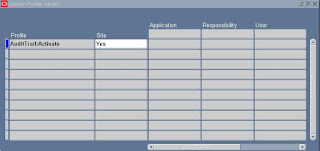
2. Query on profile option: AuditTrail:Activate
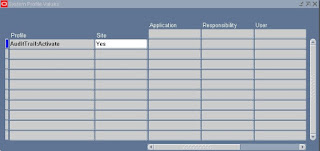
3. Ensure that this profile option is set to yes at site level and not overwriten by a No at application level ( valid values are yes or null when it is defined at site level as indicated above)
Install
1. Log in with the responsibility: System Administrator
Navigation Path: Security/AuditTrail/Install
2. Query on profile option: Oracle Username : PA
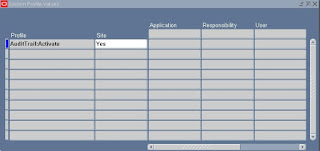
3. Ensure that the user account for Oracle Project Accounts is checked as enabled for audit
Define the Audit Group
1. Log in with the responsibility: System Administrator
Navigation Path: Security/AuditTrail/Groups
2. Create an audit group for the application projects
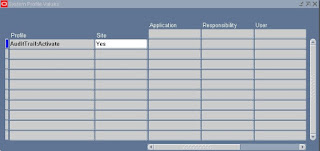
3. Add PA_PROJECTS_ALL table in the audit tables list
Define the Audit Columns
1. Log in with the responsibility: System Administrator
Navigation Path: Security/AuditTrail/Tables
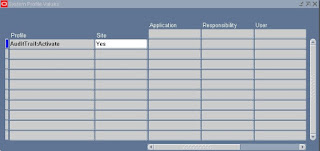
2. Query on the Table Name PA_PROJECTS_ALL and add the column PROJECT_STATUS_CODE to it
AuditTrail Update tables
1. Log in with the responsibility: System Administrator
Navigation Path: Requests/Run
2. Submit the report: AuditTrail Update Tables
Tables Schema created
select * from dba_objects
where object_name like 'PA_PROJECTS_ALL_A'
AuditTrail Report for Audit Group Validation
1. Log in with the responsibility: System Administrator
Navigation Path: Requests/Run
2. Submit the report: AuditTrail Report for Audit Group Validation by choosing the audit group in parameters
This process creates Shadow Tables with the same data type columns. Shadow Tables have the name_A which mirror the audited tables. (in our example the audited table is PA_PROJECTS_ALL and the shadow table is PA_PROJECTS_ALL _A).It also creates views on the Shadow Tables with the name _AC1 and _AV1 which allow access to the data in the Shadow Tables.
1. Log in with the responsibility: System Administrator
Navigation Path: System/profile
2. Query on profile option: AuditTrail:Activate

3. Ensure that this profile option is set to yes at site level and not overwriten by a No at application level ( valid values are yes or null when it is defined at site level as indicated above)
Install
1. Log in with the responsibility: System Administrator
Navigation Path: Security/AuditTrail/Install
2. Query on profile option: Oracle Username : PA
3. Ensure that the user account for Oracle Project Accounts is checked as enabled for audit
Define the Audit Group
1. Log in with the responsibility: System Administrator
Navigation Path: Security/AuditTrail/Groups
2. Create an audit group for the application projects
3. Add PA_PROJECTS_ALL table in the audit tables list
Define the Audit Columns
1. Log in with the responsibility: System Administrator
Navigation Path: Security/AuditTrail/Tables
2. Query on the Table Name PA_PROJECTS_ALL and add the column PROJECT_STATUS_CODE to it
AuditTrail Update tables
1. Log in with the responsibility: System Administrator
Navigation Path: Requests/Run
2. Submit the report: AuditTrail Update Tables
Tables Schema created
select * from dba_objects
where object_name like 'PA_PROJECTS_ALL_A'
AuditTrail Report for Audit Group Validation
1. Log in with the responsibility: System Administrator
Navigation Path: Requests/Run
2. Submit the report: AuditTrail Report for Audit Group Validation by choosing the audit group in parameters
This process creates Shadow Tables with the same data type columns. Shadow Tables have the name
Friday, October 22, 2010
Script to Update Oracle Project Tasks: pa_project_pub.update_task
DECLARE
l_msg_count NUMBER;
l_msg_data VARCHAR2 (2000);
l_return_status VARCHAR2 (1);
l_pm_product_code VARCHAR2 (10);
l_out_pa_task_id NUMBER;
l_out_pm_task_reference VARCHAR2 (2000);
l_output VARCHAR2 (2000);
l_msg_dummy VARCHAR2 (2000);
api_error EXCEPTION;
n NUMBER := 0;
l_pa_project_id NUMBER := :project_id;
BEGIN
pa_interface_utils_pub.set_global_info (p_api_version_number => 1.0,
p_responsibility_id => :Responsibility_id,
p_user_id => :User_id,
p_msg_count => l_msg_count,
p_msg_data => l_msg_data,
p_return_status => l_return_status
);
pa_project_pub.update_task
(p_api_version_number => '1.0',
p_commit => 'F',
p_init_msg_list => 'F',
p_msg_count => l_msg_count,
p_msg_data => l_msg_data,
p_return_status => l_return_status,
p_pm_product_code => l_pm_product_code,
p_pa_project_id => l_pa_project_id,
p_pa_task_id => :pa_task_id,
-- p_task_description => 'TEST DESC1',
p_tasks_dff => 'N',
p_out_pa_task_id => l_out_pa_task_id,
p_out_pm_task_reference => l_out_pm_task_reference
);
COMMIT;
IF l_return_status <> 'S'
THEN
FOR n IN 1 .. l_msg_count
LOOP
fnd_msg_pub.get (n, fnd_api.g_false, l_msg_data, l_msg_dummy);
l_output := (TO_CHAR (n) || ': ' || l_msg_data);
DBMS_OUTPUT.put_line
( 'Error: API Error while updating the Task: '
|| l_output
);
COMMIT;
END LOOP;
ELSE
DBMS_OUTPUT.put_line ('Sucessfully Update the task');
COMMIT;
END IF;
EXCEPTION
WHEN api_error
THEN
DBMS_OUTPUT.put_line ('API Error in Project: ');
WHEN OTHERS
THEN
DBMS_OUTPUT.put_line ('Other Error in Project: ' || SQLERRM);
END;
l_msg_count NUMBER;
l_msg_data VARCHAR2 (2000);
l_return_status VARCHAR2 (1);
l_pm_product_code VARCHAR2 (10);
l_out_pa_task_id NUMBER;
l_out_pm_task_reference VARCHAR2 (2000);
l_output VARCHAR2 (2000);
l_msg_dummy VARCHAR2 (2000);
api_error EXCEPTION;
n NUMBER := 0;
l_pa_project_id NUMBER := :project_id;
BEGIN
pa_interface_utils_pub.set_global_info (p_api_version_number => 1.0,
p_responsibility_id => :Responsibility_id,
p_user_id => :User_id,
p_msg_count => l_msg_count,
p_msg_data => l_msg_data,
p_return_status => l_return_status
);
pa_project_pub.update_task
(p_api_version_number => '1.0',
p_commit => 'F',
p_init_msg_list => 'F',
p_msg_count => l_msg_count,
p_msg_data => l_msg_data,
p_return_status => l_return_status,
p_pm_product_code => l_pm_product_code,
p_pa_project_id => l_pa_project_id,
p_pa_task_id => :pa_task_id,
-- p_task_description => 'TEST DESC1',
p_tasks_dff => 'N',
p_out_pa_task_id => l_out_pa_task_id,
p_out_pm_task_reference => l_out_pm_task_reference
);
COMMIT;
IF l_return_status <> 'S'
THEN
FOR n IN 1 .. l_msg_count
LOOP
fnd_msg_pub.get (n, fnd_api.g_false, l_msg_data, l_msg_dummy);
l_output := (TO_CHAR (n) || ': ' || l_msg_data);
DBMS_OUTPUT.put_line
( 'Error: API Error while updating the Task: '
|| l_output
);
COMMIT;
END LOOP;
ELSE
DBMS_OUTPUT.put_line ('Sucessfully Update the task');
COMMIT;
END IF;
EXCEPTION
WHEN api_error
THEN
DBMS_OUTPUT.put_line ('API Error in Project: ');
WHEN OTHERS
THEN
DBMS_OUTPUT.put_line ('Other Error in Project: ' || SQLERRM);
END;
Wednesday, October 13, 2010
Steps to customize the PO Approval Workflow.
1. Take the seeded workflow (POAPPRV)
2. Right click on the Item TYpe and create a new Item TYpe .
3. Open the Seeded Workflow(POAPPRV) in other window .
4. Copy and paste ATTRIBUTES, NOTIFICATIONs, FUNCTIONS and PROCESSES etc from the the seeded workflow to the Newly named workflow .
5. Verify the workflow
6. Customize the new workflow according to your needs.
7. Save the changes and port it to Oracle.
Login with a PO Super User responsibility, go to Setup -> Document Types, select the PO types for which you want to use the custom workflow, and change workflow fields 'Approval Workflow' and 'Workflow Startup Process' to the new ones.
2. Right click on the Item TYpe and create a new Item TYpe .
3. Open the Seeded Workflow(POAPPRV) in other window .
4. Copy and paste ATTRIBUTES, NOTIFICATIONs, FUNCTIONS and PROCESSES etc from the the seeded workflow to the Newly named workflow .
5. Verify the workflow
6. Customize the new workflow according to your needs.
7. Save the changes and port it to Oracle.
Login with a PO Super User responsibility, go to Setup -> Document Types, select the PO types for which you want to use the custom workflow, and change workflow fields 'Approval Workflow' and 'Workflow Startup Process' to the new ones.
Saturday, October 2, 2010
API to Close Purchase Order
po_actions.close_po
To Close the PO we need to pass 'CLOSE' to the p_action variable and make sure to pass 'N' to the p_auto_close.
To Close the PO we need to pass 'CLOSE' to the p_action variable and make sure to pass 'N' to the p_auto_close.
Tuesday, September 14, 2010
Sql Query to find Unbaselined Fundings
SELECT ppf.project_number, ppf.project_name,
pps.project_system_status_code project_status, ppf.task_number,
ppf.task_name, paa.agreement_num, paa.agreement_type,
paa.amount agreement_amount, ppf.allocated_amount funding_amount,
ppf.date_allocated, ppf.funding_category,
ppf.budget_type_code baseline_status, ppf.last_update_date,
fu.user_name last_updated_by
FROM pa_agreements_all paa,
pa_project_fundings_v ppf,
fnd_user fu,
pa_projects_all ppa,
pa_project_statuses pps
WHERE paa.agreement_id = ppf.agreement_id
AND ppa.project_status_code = pps.project_status_code
AND ppa.project_id = ppf.project_id
AND fu.user_id = ppf.last_updated_by
AND ppf.budget_type_code <> 'BASELINE'
ORDER BY paa.agreement_id;
pps.project_system_status_code project_status, ppf.task_number,
ppf.task_name, paa.agreement_num, paa.agreement_type,
paa.amount agreement_amount, ppf.allocated_amount funding_amount,
ppf.date_allocated, ppf.funding_category,
ppf.budget_type_code baseline_status, ppf.last_update_date,
fu.user_name last_updated_by
FROM pa_agreements_all paa,
pa_project_fundings_v ppf,
fnd_user fu,
pa_projects_all ppa,
pa_project_statuses pps
WHERE paa.agreement_id = ppf.agreement_id
AND ppa.project_status_code = pps.project_status_code
AND ppa.project_id = ppf.project_id
AND fu.user_id = ppf.last_updated_by
AND ppf.budget_type_code <> 'BASELINE'
ORDER BY paa.agreement_id;
Sql Script to find Projects which are funded by multiple Sales Order (Agreement)
SELECT paa.agreement_num sales_order, ppa.segment1 project_number,
paps.project_status_name project_status,
pspf.total_baselined_amount funding_amount,
TRUNC (pspf.last_update_date) last_funding_date, '-Budget-',
pbv.revenue,PA.FULL_NAME PROJECT_MANAGER
FROM pa_projects_all ppa,
(SELECT pspf.project_id
FROM pa_summary_project_fundings pspf
WHERE 1 = 1
GROUP BY pspf.project_id
HAVING COUNT (*) > 1) multi,
(SELECT *
FROM pa_budget_versions
WHERE budget_type_code = 'Revenue Budget'
AND budget_status_code = 'B'
AND current_flag = 'Y') pbv,
pa_summary_project_fundings pspf,
pa_project_classes ppct,
pa_agreements_all paa,
pa_employees pa,
pabv_key_members pkm
WHERE multi.project_id = ppa.project_id
AND pspf.project_id = ppa.project_id
AND paa.agreement_id = pspf.agreement_id
AND paps.project_status_code = ppa.project_status_code
AND ppa.project_id = pbv.project_id(+)
AND pa.person_id = pkm.person_id
AND pkm.project_id = ppa.project_id
AND pkm.project_role_type = 'PROJECT MANAGER'
and NVL (PKM.END_EFFECTIVE_DATE, TRUNC (sysdate)) >= TRUNC (sysdate)
and NVL (PA.EFFECTIVE_END_DATE, TRUNC (sysdate)) >= TRUNC (sysdate)
AND current_flag = 'Y'
AND paps.project_status_name <> 'Not Acquired'
AND ppa.template_flag = 'N'
paps.project_status_name project_status,
pspf.total_baselined_amount funding_amount,
TRUNC (pspf.last_update_date) last_funding_date, '-Budget-',
pbv.revenue,PA.FULL_NAME PROJECT_MANAGER
FROM pa_projects_all ppa,
(SELECT pspf.project_id
FROM pa_summary_project_fundings pspf
WHERE 1 = 1
GROUP BY pspf.project_id
HAVING COUNT (*) > 1) multi,
(SELECT *
FROM pa_budget_versions
WHERE budget_type_code = 'Revenue Budget'
AND budget_status_code = 'B'
AND current_flag = 'Y') pbv,
pa_summary_project_fundings pspf,
pa_project_classes ppct,
pa_agreements_all paa,
pa_employees pa,
pabv_key_members pkm
WHERE multi.project_id = ppa.project_id
AND pspf.project_id = ppa.project_id
AND paa.agreement_id = pspf.agreement_id
AND paps.project_status_code = ppa.project_status_code
AND ppa.project_id = pbv.project_id(+)
AND pa.person_id = pkm.person_id
AND pkm.project_id = ppa.project_id
AND pkm.project_role_type = 'PROJECT MANAGER'
and NVL (PKM.END_EFFECTIVE_DATE, TRUNC (sysdate)) >= TRUNC (sysdate)
and NVL (PA.EFFECTIVE_END_DATE, TRUNC (sysdate)) >= TRUNC (sysdate)
AND current_flag = 'Y'
AND paps.project_status_name <> 'Not Acquired'
AND ppa.template_flag = 'N'
Sql Script to extract Vendor, Project, Receipt information for a PO
SELECT pha.po_header_id, pha.segment1 po_number, pov.vendor_name,
pov.segment1 vendor_num, pla.line_num po_line_number, pla.item_id,
(SELECT MAX (segment1)
FROM mtl_system_items_b
WHERE inventory_item_id = pla.item_id) item,
DECODE (NVL (pla.item_id, 0),
0, NULL,
pla.item_description
) item_description,
DECODE (pla.cancel_flag,
'Y', 'CANCELLED',
DECODE (pha.authorization_status,
'IN PROCESS', 'PENDING APPROVAL',
NVL (pha.authorization_status, 'INCOMPLETE')
)
) authorization_status,
DECODE (pla.cancel_flag,
'Y', 'N/A',
DECODE (pha.authorization_status,
'APPROVED', DECODE (NVL (pla.closed_code, 'b'),
'CLOSED', 'CLOSED',
'FINALLY CLOSED', 'CLOSED',
'OPEN'
),
'N/A'
)
) po_status,
pha.creation_date date_issued, pla.creation_date line_creation_date,
(pda.quantity_ordered - pda.quantity_cancelled) po_quantity,
(NVL (pla.unit_price, 0) * NVL (pda.quantity_ordered, 0)
) po_line_amt,
(NVL (pla.unit_price, 0) * NVL (pda.quantity_cancelled, 0)
) po_cancelled_amount,
(NVL (pla.unit_price, 0) * NVL (pda.quantity_delivered, 0)
) po_line_received_amount,
rt.transaction_date receipt_date,
TO_CHAR (rt.transaction_date, 'MON-RR') receipt_month,
rsh.receipt_num,
(DECODE (NVL (rt.transaction_type, 'a'),
'RETURN TO VENDOR', NVL (rt.quantity * (-1), 0),
'RETURN TO RECEIVING', NVL (rt.quantity * (-1), 0),
NVL (rt.quantity, 0)
)
) receipt_quantity,
( NVL (rt.po_unit_price, 0)
* DECODE (NVL (rt.transaction_type, 'a'),
'RETURN TO VENDOR', NVL (rt.quantity * (-1), 0),
'RETURN TO RECEIVING', NVL (rt.quantity * (-1), 0),
NVL (rt.quantity, 0)
)
) receipt_amount,
ai.invoice_id, ai.invoice_num, ai.invoice_amount, ai.amount_paid,
ai.invoice_date, aid.quantity_invoiced, aid.amount inv_line_amount,
ppa.project_id, ppa.segment1 project_number, ppa.NAME project_name,
(SELECT full_name
FROM pa_project_players_v
WHERE project_id = ppa.project_id
AND UPPER (ROLE) = 'PROJECT MANAGER'
AND NVL (end_date_active, SYSDATE) IN (
SELECT MAX (NVL (end_date_active, SYSDATE))
FROM pa_project_players_v
WHERE 1 = 1
AND project_id = ppa.project_id
AND UPPER (ROLE) = 'PROJECT MANAGER')
AND ROWNUM < 2) "Project Manager",
total_billings.invoice_amount total_actual_billings
FROM po_headers_all pha,
po_lines_all pla,
po_distributions_all pda,
ap_invoices_all ai,
ap_invoice_distributions_all aid,
rcv_transactions rt,
rcv_shipment_headers rsh,
po_vendors pov,
pa_projects_all ppa,
(SELECT i.project_id, SUM (NVL (ii.inv_amount, 0)) invoice_amount
FROM pa_draft_invoices_all i, pa_draft_inv_items_bas ii
WHERE 1 = 1
AND ii.project_id(+) = i.project_id
AND ii.draft_invoice_num(+) = i.draft_invoice_num
AND i.pa_date < ((SELECT end_date
FROM pa_periods_all ppi
WHERE ppi.current_pa_period_flag = 'Y') + 1)
GROUP BY i.project_id) total_billings
WHERE pha.po_header_id = pla.po_header_id
AND pda.po_header_id = pla.po_header_id
AND pda.po_line_id = pla.po_line_id
AND pda.po_header_id = pha.po_header_id
AND pha.vendor_id = pov.vendor_id
AND pda.po_distribution_id = aid.po_distribution_id(+)
AND aid.invoice_id = ai.invoice_id(+)
AND pla.po_line_id = rt.po_line_id(+)
AND rt.shipment_header_id = rsh.shipment_header_id(+)
AND rt.destination_type_code(+) = 'RECEIVING'
AND pda.project_id = ppa.project_id(+)
AND ppa.project_id = total_billings.project_id(+)
pov.segment1 vendor_num, pla.line_num po_line_number, pla.item_id,
(SELECT MAX (segment1)
FROM mtl_system_items_b
WHERE inventory_item_id = pla.item_id) item,
DECODE (NVL (pla.item_id, 0),
0, NULL,
pla.item_description
) item_description,
DECODE (pla.cancel_flag,
'Y', 'CANCELLED',
DECODE (pha.authorization_status,
'IN PROCESS', 'PENDING APPROVAL',
NVL (pha.authorization_status, 'INCOMPLETE')
)
) authorization_status,
DECODE (pla.cancel_flag,
'Y', 'N/A',
DECODE (pha.authorization_status,
'APPROVED', DECODE (NVL (pla.closed_code, 'b'),
'CLOSED', 'CLOSED',
'FINALLY CLOSED', 'CLOSED',
'OPEN'
),
'N/A'
)
) po_status,
pha.creation_date date_issued, pla.creation_date line_creation_date,
(pda.quantity_ordered - pda.quantity_cancelled) po_quantity,
(NVL (pla.unit_price, 0) * NVL (pda.quantity_ordered, 0)
) po_line_amt,
(NVL (pla.unit_price, 0) * NVL (pda.quantity_cancelled, 0)
) po_cancelled_amount,
(NVL (pla.unit_price, 0) * NVL (pda.quantity_delivered, 0)
) po_line_received_amount,
rt.transaction_date receipt_date,
TO_CHAR (rt.transaction_date, 'MON-RR') receipt_month,
rsh.receipt_num,
(DECODE (NVL (rt.transaction_type, 'a'),
'RETURN TO VENDOR', NVL (rt.quantity * (-1), 0),
'RETURN TO RECEIVING', NVL (rt.quantity * (-1), 0),
NVL (rt.quantity, 0)
)
) receipt_quantity,
( NVL (rt.po_unit_price, 0)
* DECODE (NVL (rt.transaction_type, 'a'),
'RETURN TO VENDOR', NVL (rt.quantity * (-1), 0),
'RETURN TO RECEIVING', NVL (rt.quantity * (-1), 0),
NVL (rt.quantity, 0)
)
) receipt_amount,
ai.invoice_id, ai.invoice_num, ai.invoice_amount, ai.amount_paid,
ai.invoice_date, aid.quantity_invoiced, aid.amount inv_line_amount,
ppa.project_id, ppa.segment1 project_number, ppa.NAME project_name,
(SELECT full_name
FROM pa_project_players_v
WHERE project_id = ppa.project_id
AND UPPER (ROLE) = 'PROJECT MANAGER'
AND NVL (end_date_active, SYSDATE) IN (
SELECT MAX (NVL (end_date_active, SYSDATE))
FROM pa_project_players_v
WHERE 1 = 1
AND project_id = ppa.project_id
AND UPPER (ROLE) = 'PROJECT MANAGER')
AND ROWNUM < 2) "Project Manager",
total_billings.invoice_amount total_actual_billings
FROM po_headers_all pha,
po_lines_all pla,
po_distributions_all pda,
ap_invoices_all ai,
ap_invoice_distributions_all aid,
rcv_transactions rt,
rcv_shipment_headers rsh,
po_vendors pov,
pa_projects_all ppa,
(SELECT i.project_id, SUM (NVL (ii.inv_amount, 0)) invoice_amount
FROM pa_draft_invoices_all i, pa_draft_inv_items_bas ii
WHERE 1 = 1
AND ii.project_id(+) = i.project_id
AND ii.draft_invoice_num(+) = i.draft_invoice_num
AND i.pa_date < ((SELECT end_date
FROM pa_periods_all ppi
WHERE ppi.current_pa_period_flag = 'Y') + 1)
GROUP BY i.project_id) total_billings
WHERE pha.po_header_id = pla.po_header_id
AND pda.po_header_id = pla.po_header_id
AND pda.po_line_id = pla.po_line_id
AND pda.po_header_id = pha.po_header_id
AND pha.vendor_id = pov.vendor_id
AND pda.po_distribution_id = aid.po_distribution_id(+)
AND aid.invoice_id = ai.invoice_id(+)
AND pla.po_line_id = rt.po_line_id(+)
AND rt.shipment_header_id = rsh.shipment_header_id(+)
AND rt.destination_type_code(+) = 'RECEIVING'
AND pda.project_id = ppa.project_id(+)
AND ppa.project_id = total_billings.project_id(+)
Script to Approve PO Requisition
/* Formatted on 2010/05/15 11:23 (Formatter Plus v4.8.0) */
DECLARE
l_itemkey VARCHAR2 (200);
l_po_id NUMBER := :PO_HEADER_ID;
l_po_number VARCHAR2 (200) := :REQUISITION_NUMBER;
BEGIN
SELECT l_po_id || '-' || TO_CHAR (po_wf_itemkey_s.NEXTVAL)
INTO l_itemkey
FROM DUAL;
wf_engine.createprocess ('REQAPPRV',
l_itemkey,
'MAIN_REQAPPRV_PROCESS',
NULL,
:USER_NAME
);
wf_engine.setitemattrnumber (itemtype => 'REQAPPRV',
itemkey => l_itemkey,
aname => 'RESPONSIBILITY_ID',
avalue => :RESPONSIBILITY_ID
);
wf_engine.setitemattrnumber (itemtype => 'REQAPPRV',
itemkey => l_itemkey,
aname => 'APPLICATION_ID',
avalue => :APPLICATION_ID
);
wf_engine.setitemattrnumber (itemtype => 'REQAPPRV',
itemkey => l_itemkey,
aname => 'USER_ID',
avalue => :USER_ID
);
wf_engine.setitemattrnumber (itemtype => 'REQAPPRV',
itemkey => l_itemkey,
aname => 'SUBMITTER_ID',
avalue => :BUYER_ID
);
wf_engine.setitemattrnumber (itemtype => 'REQAPPRV',
itemkey => l_itemkey,
aname => 'DOCUMENT_ID',
avalue => l_po_id
);
wf_engine.setitemattrtext (itemtype => 'REQAPPRV',
itemkey => l_itemkey,
aname => 'DOCUMENT_NUMBER',
avalue => l_po_number
);
wf_engine.setitemattrnumber (itemtype => 'REQAPPRV',
itemkey => l_itemkey,
aname => 'ORG_ID',
avalue => :ORG_ID
);
wf_engine.setitemattrtext (itemtype => 'REQAPPRV',
itemkey => l_itemkey,
aname => 'DOCUMENT_SUBTYPE',
avalue => 'PURCHASE'
);
wf_engine.setitemattrtext (itemtype => 'REQAPPRV',
itemkey => l_itemkey,
aname => 'DOCUMENT_TYPE',
avalue => 'REQUISITION'
);
wf_engine.setitemattrtext (itemtype => 'REQAPPRV',
itemkey => l_itemkey,
aname => 'DOCUMENT_TYPE_DISP',
avalue => 'Purchase Requisition'
);
wf_engine.setitemattrtext (itemtype => 'REQAPPRV',
itemkey => l_itemkey,
aname => 'AUTHORIZATION_STATUS',
avalue => 'APPROVED'
);
wf_engine.setitemattrtext (itemtype => 'REQAPPRV',
itemkey => l_itemkey,
aname => 'AUTHORIZATION_STATUS_DISP',
avalue => 'Approved'
);
wf_engine.setitemattrtext (itemtype => 'REQAPPRV',
itemkey => l_itemkey,
aname => 'SEND_CREATEPO_TO_BACKGROUND',
avalue => 'Y'
);
wf_engine.setitemattrtext (itemtype => 'REQAPPRV',
itemkey => l_itemkey,
aname => 'INTERFACE_SOURCE_CODE',
avalue => 'PO_FORM'
);
DBMS_OUTPUT.put_line (l_itemkey);
wf_engine.startprocess ('REQAPPRV', l_itemkey);
COMMIT;
END;
/
DECLARE
l_itemkey VARCHAR2 (200);
l_po_id NUMBER := :PO_HEADER_ID;
l_po_number VARCHAR2 (200) := :REQUISITION_NUMBER;
BEGIN
SELECT l_po_id || '-' || TO_CHAR (po_wf_itemkey_s.NEXTVAL)
INTO l_itemkey
FROM DUAL;
wf_engine.createprocess ('REQAPPRV',
l_itemkey,
'MAIN_REQAPPRV_PROCESS',
NULL,
:USER_NAME
);
wf_engine.setitemattrnumber (itemtype => 'REQAPPRV',
itemkey => l_itemkey,
aname => 'RESPONSIBILITY_ID',
avalue => :RESPONSIBILITY_ID
);
wf_engine.setitemattrnumber (itemtype => 'REQAPPRV',
itemkey => l_itemkey,
aname => 'APPLICATION_ID',
avalue => :APPLICATION_ID
);
wf_engine.setitemattrnumber (itemtype => 'REQAPPRV',
itemkey => l_itemkey,
aname => 'USER_ID',
avalue => :USER_ID
);
wf_engine.setitemattrnumber (itemtype => 'REQAPPRV',
itemkey => l_itemkey,
aname => 'SUBMITTER_ID',
avalue => :BUYER_ID
);
wf_engine.setitemattrnumber (itemtype => 'REQAPPRV',
itemkey => l_itemkey,
aname => 'DOCUMENT_ID',
avalue => l_po_id
);
wf_engine.setitemattrtext (itemtype => 'REQAPPRV',
itemkey => l_itemkey,
aname => 'DOCUMENT_NUMBER',
avalue => l_po_number
);
wf_engine.setitemattrnumber (itemtype => 'REQAPPRV',
itemkey => l_itemkey,
aname => 'ORG_ID',
avalue => :ORG_ID
);
wf_engine.setitemattrtext (itemtype => 'REQAPPRV',
itemkey => l_itemkey,
aname => 'DOCUMENT_SUBTYPE',
avalue => 'PURCHASE'
);
wf_engine.setitemattrtext (itemtype => 'REQAPPRV',
itemkey => l_itemkey,
aname => 'DOCUMENT_TYPE',
avalue => 'REQUISITION'
);
wf_engine.setitemattrtext (itemtype => 'REQAPPRV',
itemkey => l_itemkey,
aname => 'DOCUMENT_TYPE_DISP',
avalue => 'Purchase Requisition'
);
wf_engine.setitemattrtext (itemtype => 'REQAPPRV',
itemkey => l_itemkey,
aname => 'AUTHORIZATION_STATUS',
avalue => 'APPROVED'
);
wf_engine.setitemattrtext (itemtype => 'REQAPPRV',
itemkey => l_itemkey,
aname => 'AUTHORIZATION_STATUS_DISP',
avalue => 'Approved'
);
wf_engine.setitemattrtext (itemtype => 'REQAPPRV',
itemkey => l_itemkey,
aname => 'SEND_CREATEPO_TO_BACKGROUND',
avalue => 'Y'
);
wf_engine.setitemattrtext (itemtype => 'REQAPPRV',
itemkey => l_itemkey,
aname => 'INTERFACE_SOURCE_CODE',
avalue => 'PO_FORM'
);
DBMS_OUTPUT.put_line (l_itemkey);
wf_engine.startprocess ('REQAPPRV', l_itemkey);
COMMIT;
END;
/
Script to cancel PO Requisition
DECLARE
l_return_status VARCHAR2 (1000);
l_msg_count NUMBER;
l_msg_data VARCHAR2 (1000);
lv_header_id po_tbl_number;
lv_line_id po_tbl_number;
m NUMBER := NULL;
l_msg_dummy VARCHAR2 (2000);
l_output VARCHAR2 (2000);
BEGIN
m := 1;
lv_header_id := po_tbl_number (:REQ_HEADER_ID);
lv_line_id := po_tbl_number (:REQ_LINE_ID);
po_req_document_cancel_grp.cancel_requisition
(p_api_version => 1.0,
p_req_header_id => lv_header_id,
p_req_line_id => lv_line_id,
p_cancel_date => SYSDATE,
p_cancel_reason => 'Cancelled Requisition',
p_source => 'REQUISITION',
x_return_status => l_return_status,
x_msg_count => l_msg_count,
x_msg_data => l_msg_data
);
COMMIT;
DBMS_OUTPUT.put_line (l_return_status);
IF l_return_status <> 'S'
THEN
fnd_msg_pub.get (m, fnd_api.g_false, l_msg_data, l_msg_dummy);
l_output := (TO_CHAR (m) || ': ' || l_msg_data);
DBMS_OUTPUT.put_line (l_output);
END IF;
END;
l_return_status VARCHAR2 (1000);
l_msg_count NUMBER;
l_msg_data VARCHAR2 (1000);
lv_header_id po_tbl_number;
lv_line_id po_tbl_number;
m NUMBER := NULL;
l_msg_dummy VARCHAR2 (2000);
l_output VARCHAR2 (2000);
BEGIN
m := 1;
lv_header_id := po_tbl_number (:REQ_HEADER_ID);
lv_line_id := po_tbl_number (:REQ_LINE_ID);
po_req_document_cancel_grp.cancel_requisition
(p_api_version => 1.0,
p_req_header_id => lv_header_id,
p_req_line_id => lv_line_id,
p_cancel_date => SYSDATE,
p_cancel_reason => 'Cancelled Requisition',
p_source => 'REQUISITION',
x_return_status => l_return_status,
x_msg_count => l_msg_count,
x_msg_data => l_msg_data
);
COMMIT;
DBMS_OUTPUT.put_line (l_return_status);
IF l_return_status <> 'S'
THEN
fnd_msg_pub.get (m, fnd_api.g_false, l_msg_data, l_msg_dummy);
l_output := (TO_CHAR (m) || ': ' || l_msg_data);
DBMS_OUTPUT.put_line (l_output);
END IF;
END;
Saturday, July 17, 2010
Restrict 'Change Status' button on Projects Screen
1. Navigation: System Administrator -> Responsibility -> Define
2. Query for the Responsibility Name to which we want to restrict the button
3. Under the Menu Exclusions tab include the Menu ‘Project Status Function Security Menu’
This will grey out the 'Change Status' button and the user will not be able to update the status.
2. Query for the Responsibility Name to which we want to restrict the button
3. Under the Menu Exclusions tab include the Menu ‘Project Status Function Security Menu’
This will grey out the 'Change Status' button and the user will not be able to update the status.
Form error while trying to update Projects 'FRM-40654: Record has been updated. Requery block to see change'
While trying to update a Project we were getting the following error:
'FRM-40654: Record has been updated. Requery block to see change'
On investigation we found that the issue is due to trailing or leading spaces in attribute columns for the project. Oracle has provided a fix for this:
Refer to the Metalink DOC ID 362800.1
Run this script with the 'Automatically Fix all the errors Found' parameter as 'N' initially to determine the columns with the trailing or leading spaces. Once you analyze the data and everything looks good then we can run the script again with 'Automatically Fix all the errors Found' parameter as 'Y'.
'FRM-40654: Record has been updated. Requery block to see change'
On investigation we found that the issue is due to trailing or leading spaces in attribute columns for the project. Oracle has provided a fix for this:
Refer to the Metalink DOC ID 362800.1
Run this script with the 'Automatically Fix all the errors Found' parameter as 'N' initially to determine the columns with the trailing or leading spaces. Once you analyze the data and everything looks good then we can run the script again with 'Automatically Fix all the errors Found' parameter as 'Y'.
Sunday, May 9, 2010
How to add logo on 'PO Output for Communication' report - PO_STANDARD_XSLFO
1. Login as a user with the XML Publisher Administrator responsibility and then navigate to the Home: Templates page.
2. From the XML Publisher Templage page, query for 'PO_STANDARD_XSLFO' code and click on the 'Standard Purchase Order Stylesheet' in the Create Template section.
3. On the View Template page Scroll down to the Add File section and click the Download link. This will pop save/Open option for the 'PO_STANDARD_XSLFO.xsl' spreadsheet. Save the file to your local disk.
4. Scroll up again to the General section and click the Update button.
5. Apply the end date with history date. Preferably the end date should be (SYSDATE-1) and click Apply button. This will end date the standard template.
6. Locate the 'PO_STANDARD_XSLFO.xsl' on your local drive. Open the file in Wordpad and press ctl+f to find the 'Logo' string in the file. Uncomment the and strings. This code is used to display the image at top left corner in the first page. The complete block after changes should read as below:
7. Save the file and make sure that you have taken appropiate backup of the XSL spreadsheet before doing any updates.
8. Navigate to XML Publisher Template page again. Click the Create Template button link and enter data per the following steps:
i. Enter a unique name in the Name field -- Custom Purchase Order Stylesheet
ii. Enter unique code in the Code field -- PO_STANDARD_XSLFO1
iii. Enter Purchasing in the Application field
iv. Select XSL-FO from the Type drop-down list box
v. Enter Standard Purchase Order Data Source in the Data Definitionbox -- Standard Purchase Order Data Source
vi. Click the Browse button and navigate to the edited PO_STANDARD_XSLFO.xsl file where it is located on your
computer
vii. Enter English in the Language box
Viii.Click Apply button
9. Login with Purchasing Super User responsibility and then navigate to Setup / Organizations / Purchasing Options / Control TAB / set 'PO Output Format' = 'PDF'
10. Navigate to setup / purchasing / document types / select "Standard Purchase Order" / Set the Document Type Layout to your new template.
2. From the XML Publisher Templage page, query for 'PO_STANDARD_XSLFO' code and click on the 'Standard Purchase Order Stylesheet' in the Create Template section.
3. On the View Template page Scroll down to the Add File section and click the Download link. This will pop save/Open option for the 'PO_STANDARD_XSLFO.xsl' spreadsheet. Save the file to your local disk.
4. Scroll up again to the General section and click the Update button.
5. Apply the end date with history date. Preferably the end date should be (SYSDATE-1) and click Apply button. This will end date the standard template.
6. Locate the 'PO_STANDARD_XSLFO.xsl' on your local drive. Open the file in Wordpad and press ctl+f to find the 'Logo' string in the file. Uncomment the

7. Save the file and make sure that you have taken appropiate backup of the XSL spreadsheet before doing any updates.
8. Navigate to XML Publisher Template page again. Click the Create Template button link and enter data per the following steps:
i. Enter a unique name in the Name field -- Custom Purchase Order Stylesheet
ii. Enter unique code in the Code field -- PO_STANDARD_XSLFO1
iii. Enter Purchasing in the Application field
iv. Select XSL-FO from the Type drop-down list box
v. Enter Standard Purchase Order Data Source in the Data Definitionbox -- Standard Purchase Order Data Source
vi. Click the Browse button and navigate to the edited PO_STANDARD_XSLFO.xsl file where it is located on your
computer
vii. Enter English in the Language box
Viii.Click Apply button
9. Login with Purchasing Super User responsibility and then navigate to Setup / Organizations / Purchasing Options / Control TAB / set 'PO Output Format' = 'PDF'
10. Navigate to setup / purchasing / document types / select "Standard Purchase Order" / Set the Document Type Layout to your new template.
Monday, January 11, 2010
p_datetrack_update_mode, p_datetrack_delete_mode
Understanding the p_datetrack_update_mode Control Parameter in HRMS API
The p_datetract_update_mode control parameter enables you to define the type of DateTrack change to be made. This mandatory parameter must be set to one of the values as mentioned below:
UPDATE - Keep history of existing information
CORRECTION - Correct existing information
UPDATE_OVERRIDE - Replace all scheduled changes
UPDATE_CHANGE_INSERT - Insert this change before next scheduled change
Understanding the p_datetrack_delete_mode Control Parameter
The p_datetract_update_mode control parameter enables you to define the type of DateTrack deletion to be made. This mandatory parameter must be set to one of the following values:
ZAP - Completely remove from the database
DELETE - Set end date to effective date
FUTURE_CHANGE - Remove all scheduled changes
DELETE_NEXT_CHANGE - Remove next change
The p_datetract_update_mode control parameter enables you to define the type of DateTrack change to be made. This mandatory parameter must be set to one of the values as mentioned below:
UPDATE - Keep history of existing information
CORRECTION - Correct existing information
UPDATE_OVERRIDE - Replace all scheduled changes
UPDATE_CHANGE_INSERT - Insert this change before next scheduled change
Understanding the p_datetrack_delete_mode Control Parameter
The p_datetract_update_mode control parameter enables you to define the type of DateTrack deletion to be made. This mandatory parameter must be set to one of the following values:
ZAP - Completely remove from the database
DELETE - Set end date to effective date
FUTURE_CHANGE - Remove all scheduled changes
DELETE_NEXT_CHANGE - Remove next change
Sunday, January 10, 2010
How to clear Apache Cache from Application without bouncing listener.
While going through one of the HRMS blogs i stumbled on a very interesting article on how to clear the Apache cache without bouncing the listener. Here are the steps:
1. Navigate to "Functional Administrator" responsibility.
2. Once logged in click on the "Core Services" tab.
3. Click on "Caching Framework" link in the blue menu bar.
4. Click on "Global Configuration" link in the left vertical menu.
5. In the "Cache Policy" region click on the "Clear All Cache" button.
6. Click the "Yes" button to confirm the action.
7. Click the "Apply" button to apply the changes.
The above steps will clear the apache cache without the need of bouncing by the DBA's
Reference: http://oraclehrmsways.blogspot.com
1. Navigate to "Functional Administrator" responsibility.
2. Once logged in click on the "Core Services" tab.
3. Click on "Caching Framework" link in the blue menu bar.
4. Click on "Global Configuration" link in the left vertical menu.
5. In the "Cache Policy" region click on the "Clear All Cache" button.
6. Click the "Yes" button to confirm the action.
7. Click the "Apply" button to apply the changes.
The above steps will clear the apache cache without the need of bouncing by the DBA's
Reference: http://oraclehrmsways.blogspot.com
Thursday, December 31, 2009
HRMS Benefits query to fetch the dependent of the beneficiaries
SELECT DISTINCT emp_papf.full_name employee_full_name,
emp_papf.national_identifier employee_ssn,
ppf.full_name dependent_name,
ppf.national_identifier dependent_ssn
FROM ben_elig_per_elctbl_chc epe,
ben_prtt_enrt_rslt_f pen,
ben_elig_cvrd_dpnt_f pdp,
per_contact_relationships pcr,
per_all_people_f ppf,
per_all_people_f emp_papf,
ben_per_in_ler pil
WHERE epe.prtt_enrt_rslt_id = pen.prtt_enrt_rslt_id
AND pen.prtt_enrt_rslt_id = pdp.prtt_enrt_rslt_id
AND pen.prtt_enrt_rslt_stat_cd IS NULL
AND pen.enrt_cvg_thru_dt = TO_DATE ('4712/12/31', 'rrrr/mm/dd')
AND pdp.dpnt_person_id = pcr.contact_person_id
AND pcr.contact_person_id = ppf.person_id
AND pcr.person_id = emp_papf.person_id
AND pcr.personal_flag = 'Y'
AND epe.prtt_enrt_rslt_id IS NOT NULL
AND epe.per_in_ler_id = pil.per_in_ler_id
AND pcr.person_id = pil.person_id
AND pil.per_in_ler_stat_cd NOT IN ('VOIDD', 'BCKDT')
AND TO_DATE (sysdate, 'rrrr/mm/dd') BETWEEN pdp.effective_start_date
AND pdp.effective_end_date
AND TO_DATE (sysdate, 'rrrr/mm/dd')
BETWEEN NVL (pcr.date_start,
TO_DATE (sysdate, 'rrrr/mm/dd'))
AND NVL (pcr.date_end, TO_DATE (sysdate, 'rrrr/mm/dd'))
AND TO_DATE (sysdate, 'rrrr/mm/dd') BETWEEN ppf.effective_start_date
AND ppf.effective_end_date
AND TO_DATE (sysdate, 'rrrr/mm/dd')
BETWEEN emp_papf.effective_start_date
AND emp_papf.effective_end_date
AND TO_DATE (sysdate, 'rrrr/mm/dd') BETWEEN pen.effective_start_date
AND pen.effective_end_date
AND pdp.cvg_thru_dt = TO_DATE ('4712/12/31', 'rrrr/mm/dd')
AND pdp.per_in_ler_id = pil.per_in_ler_id
emp_papf.national_identifier employee_ssn,
ppf.full_name dependent_name,
ppf.national_identifier dependent_ssn
FROM ben_elig_per_elctbl_chc epe,
ben_prtt_enrt_rslt_f pen,
ben_elig_cvrd_dpnt_f pdp,
per_contact_relationships pcr,
per_all_people_f ppf,
per_all_people_f emp_papf,
ben_per_in_ler pil
WHERE epe.prtt_enrt_rslt_id = pen.prtt_enrt_rslt_id
AND pen.prtt_enrt_rslt_id = pdp.prtt_enrt_rslt_id
AND pen.prtt_enrt_rslt_stat_cd IS NULL
AND pen.enrt_cvg_thru_dt = TO_DATE ('4712/12/31', 'rrrr/mm/dd')
AND pdp.dpnt_person_id = pcr.contact_person_id
AND pcr.contact_person_id = ppf.person_id
AND pcr.person_id = emp_papf.person_id
AND pcr.personal_flag = 'Y'
AND epe.prtt_enrt_rslt_id IS NOT NULL
AND epe.per_in_ler_id = pil.per_in_ler_id
AND pcr.person_id = pil.person_id
AND pil.per_in_ler_stat_cd NOT IN ('VOIDD', 'BCKDT')
AND TO_DATE (sysdate, 'rrrr/mm/dd') BETWEEN pdp.effective_start_date
AND pdp.effective_end_date
AND TO_DATE (sysdate, 'rrrr/mm/dd')
BETWEEN NVL (pcr.date_start,
TO_DATE (sysdate, 'rrrr/mm/dd'))
AND NVL (pcr.date_end, TO_DATE (sysdate, 'rrrr/mm/dd'))
AND TO_DATE (sysdate, 'rrrr/mm/dd') BETWEEN ppf.effective_start_date
AND ppf.effective_end_date
AND TO_DATE (sysdate, 'rrrr/mm/dd')
BETWEEN emp_papf.effective_start_date
AND emp_papf.effective_end_date
AND TO_DATE (sysdate, 'rrrr/mm/dd') BETWEEN pen.effective_start_date
AND pen.effective_end_date
AND pdp.cvg_thru_dt = TO_DATE ('4712/12/31', 'rrrr/mm/dd')
AND pdp.per_in_ler_id = pil.per_in_ler_id
HRMS Benefits query to fetch the beneficiaries
SELECT DISTINCT emp_papf.full_name employee_name,
emp_papf.national_identifier employee_ssn,
ppf.full_name beneficiary_name,
ppf.national_identifier beneficiary_ssn
FROM per_all_people_f ppf,
per_contact_relationships pcr,
ben_prtt_enrt_rslt_f pen,
ben_pl_bnf_f pbn,
per_all_people_f emp_papf
WHERE 1 = 1
AND pen.prtt_enrt_rslt_id = pbn.prtt_enrt_rslt_id
AND pen.prtt_enrt_rslt_stat_cd IS NULL
AND pen.enrt_cvg_thru_dt = TO_DATE ('4712/12/31', 'rrrr/mm/dd')
AND pcr.personal_flag(+) = 'Y'
AND pbn.bnf_person_id = pcr.contact_person_id(+)
AND pbn.bnf_person_id = ppf.person_id(+)
AND emp_papf.person_id = pcr.person_id
AND TO_DATE (SYSDATE, 'rrrr/mm/dd') BETWEEN pbn.effective_start_date
AND pbn.effective_end_date
AND TO_DATE (SYSDATE, 'rrrr/mm/dd')
BETWEEN NVL (ppf.effective_start_date,
TO_DATE (SYSDATE, 'rrrr/mm/dd'))
AND NVL (ppf.effective_end_date,
TO_DATE (SYSDATE, 'rrrr/mm/dd'))
AND TO_DATE (SYSDATE, 'rrrr/mm/dd')
BETWEEN NVL (emp_papf.effective_start_date,
TO_DATE (SYSDATE, 'rrrr/mm/dd'))
AND NVL (emp_papf.effective_end_date,
TO_DATE (SYSDATE, 'rrrr/mm/dd'))
AND TO_DATE (SYSDATE, 'rrrr/mm/dd') BETWEEN pen.effective_start_date
AND pen.effective_end_date
emp_papf.national_identifier employee_ssn,
ppf.full_name beneficiary_name,
ppf.national_identifier beneficiary_ssn
FROM per_all_people_f ppf,
per_contact_relationships pcr,
ben_prtt_enrt_rslt_f pen,
ben_pl_bnf_f pbn,
per_all_people_f emp_papf
WHERE 1 = 1
AND pen.prtt_enrt_rslt_id = pbn.prtt_enrt_rslt_id
AND pen.prtt_enrt_rslt_stat_cd IS NULL
AND pen.enrt_cvg_thru_dt = TO_DATE ('4712/12/31', 'rrrr/mm/dd')
AND pcr.personal_flag(+) = 'Y'
AND pbn.bnf_person_id = pcr.contact_person_id(+)
AND pbn.bnf_person_id = ppf.person_id(+)
AND emp_papf.person_id = pcr.person_id
AND TO_DATE (SYSDATE, 'rrrr/mm/dd') BETWEEN pbn.effective_start_date
AND pbn.effective_end_date
AND TO_DATE (SYSDATE, 'rrrr/mm/dd')
BETWEEN NVL (ppf.effective_start_date,
TO_DATE (SYSDATE, 'rrrr/mm/dd'))
AND NVL (ppf.effective_end_date,
TO_DATE (SYSDATE, 'rrrr/mm/dd'))
AND TO_DATE (SYSDATE, 'rrrr/mm/dd')
BETWEEN NVL (emp_papf.effective_start_date,
TO_DATE (SYSDATE, 'rrrr/mm/dd'))
AND NVL (emp_papf.effective_end_date,
TO_DATE (SYSDATE, 'rrrr/mm/dd'))
AND TO_DATE (SYSDATE, 'rrrr/mm/dd') BETWEEN pen.effective_start_date
AND pen.effective_end_date
Sunday, November 15, 2009
FND_NEW_MESSAGES
The FND_NEW_MESSAGES table in the database stores all Oracle Applications messages for all languages. The below API is used to load new error messages in FND_NEW_MESSAGES table.
fnd_new_messages_pkg.load_row
Ex:
DECLARE
BEGIN
fnd_new_messages_pkg.load_row
(x_application_id => 800, -- Application id
x_message_name => 'INVALID_VALUES', -- error message name
x_message_number => NULL,
x_message_text => 'Cannot update values in CANCEL mode.', -- Message
x_description => 'Cannot update values in CANCEL mode.',
x_type => 'ERROR', -- message type
x_max_length => NULL,
x_category => NULL,
x_severity => NULL,
x_fnd_log_severity => NULL,
x_owner => NULL,
x_custom_mode => NULL,
x_last_update_date => SYSDATE
);
COMMIT;
END;
/
fnd_new_messages_pkg.load_row
Ex:
DECLARE
BEGIN
fnd_new_messages_pkg.load_row
(x_application_id => 800, -- Application id
x_message_name => 'INVALID_VALUES', -- error message name
x_message_number => NULL,
x_message_text => 'Cannot update values in CANCEL mode.', -- Message
x_description => 'Cannot update values in CANCEL mode.',
x_type => 'ERROR', -- message type
x_max_length => NULL,
x_category => NULL,
x_severity => NULL,
x_fnd_log_severity => NULL,
x_owner => NULL,
x_custom_mode => NULL,
x_last_update_date => SYSDATE
);
COMMIT;
END;
/
Wednesday, September 23, 2009
User Profiles
If you are looking for information on User profiles then i think you should navigate to the below link. This link provides very good information on user profiles.
User Profiles (Click Here)
User Profiles (Click Here)
Thursday, September 10, 2009
API to Purge an person from Oracle HRMS
DECLARE
l_person_org_manager_warning VARCHAR2 (200);
BEGIN
hr_person_api.delete_person
(p_validate => FALSE,
p_effective_date => SYSDATE,
p_person_id => :person_id,
p_perform_predel_validation => FALSE,
p_person_org_manager_warning => l_person_org_manager_warning
);
COMMIT;
END;
Before purging the person from Oracle HRMS we need to make sure that the employee and fnd_user link is been deleted and also the person should not have an active payroll.
If the employee has an active payroll then we cannot purge the record. The alternative way is to either end date the employee using the termination screen or you need to change the person from 'Employee' to 'Applicant' and then use the above API again to purge the record.
l_person_org_manager_warning VARCHAR2 (200);
BEGIN
hr_person_api.delete_person
(p_validate => FALSE,
p_effective_date => SYSDATE,
p_person_id => :person_id,
p_perform_predel_validation => FALSE,
p_person_org_manager_warning => l_person_org_manager_warning
);
COMMIT;
END;
Before purging the person from Oracle HRMS we need to make sure that the employee and fnd_user link is been deleted and also the person should not have an active payroll.
If the employee has an active payroll then we cannot purge the record. The alternative way is to either end date the employee using the termination screen or you need to change the person from 'Employee' to 'Applicant' and then use the above API again to purge the record.
How to upload customized Oracle Benefits Confirmation Page (BENSSCNF)
1. Navigate to the XML Publisher Administrator Responsibility > Templates.
2. Use the search engine to find the 'BENSSCNF' template. The seeded report should now display.
3. Click the "Duplicate" icon next to the seeded report.
4. Change the required Code field from Copy of BENSSCNF to BENSSCNF2. Please note that these codes are non-updateable, so we need to make sure to rename them while duplicating the template itself.
5. Change the required Name field to 'xx Custom Benefit Enrollment Confirmation' and click the Apply button.
6. Click the Add File button and upload the new or customized replacement file.
7. Go back to Templates and find the seeded report we have duplicated.
8. Click the link for the seeded template and click the Update button.
9. End date the seeded template.
10. Generate the report in the application. The generated report will reflect the updated RTF.
For any reason if we want to revert back to the Original template then we need to follow the below mentioned steps:
1. Go to XML Publisher Administrator Responsibility > Templates.
2. Use the search engine to find the template you wish to copy.
3. Click on the link for the copy previously created.
4. Click the Update button and enter an end date into the End Date field. (Use the creation date to completely remove the incorrect copy.)
5. Repeat this for every incorrect copy that may exist.
2. Use the search engine to find the 'BENSSCNF' template. The seeded report should now display.
3. Click the "Duplicate" icon next to the seeded report.
4. Change the required Code field from Copy of BENSSCNF to BENSSCNF2. Please note that these codes are non-updateable, so we need to make sure to rename them while duplicating the template itself.
5. Change the required Name field to 'xx Custom Benefit Enrollment Confirmation' and click the Apply button.
6. Click the Add File button and upload the new or customized replacement file.
7. Go back to Templates and find the seeded report we have duplicated.
8. Click the link for the seeded template and click the Update button.
9. End date the seeded template.
10. Generate the report in the application. The generated report will reflect the updated RTF.
For any reason if we want to revert back to the Original template then we need to follow the below mentioned steps:
1. Go to XML Publisher Administrator Responsibility > Templates.
2. Use the search engine to find the template you wish to copy.
3. Click on the link for the copy previously created.
4. Click the Update button and enter an end date into the End Date field. (Use the creation date to completely remove the incorrect copy.)
5. Repeat this for every incorrect copy that may exist.
Tuesday, August 25, 2009
Setup to enable Effective Date Tracking popup in Oracle HRMS
This setup will turn on the switch that allows the effective date tracking in HRMS to pop up when someone navigates into Oracle employee record so that users do not forget to date track.
Navigation: Application Developer -> Profile -> System
Uncheck Site and check the Application
Application Field: Human Resources
Profile field : DateTrack:Reminder
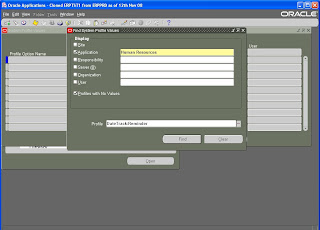
Press the find button and then a screen will popup
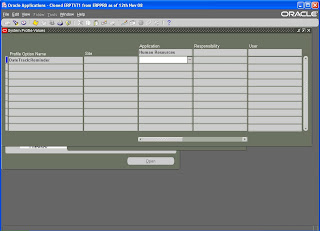
In the Application field where we have the white background we need to give the value as ‘Always pop warning window’ and then save the form.
Navigation: Application Developer -> Profile -> System
Uncheck Site and check the Application
Application Field: Human Resources
Profile field : DateTrack:Reminder

Press the find button and then a screen will popup

In the Application field where we have the white background we need to give the value as ‘Always pop warning window’ and then save the form.


Saturday, August 22, 2009
How to change the Address Style from US to Generic Addess Style in Oracle HRMS
Select any HRMS or Super HRMS Manager Responsibility (Example: US Super HRMS Manager)
1. Open the 'Define Taskflow' form. ( Security -> Task Flow Definitions )
2. Query the Taskflow that is used by the Person form function (For Example: 'US HR PERSON TASKFLOW').
3. Go to 'Node section – Name field' and delete the 'USADDRESS' node (This node is used by the US Address Style) and then add a new node 'ADDRESS' (This node is used by the international Address Style) with the same sequence number as the 'USADDRESS' node.
Save and Exit the “Define Taskflow” form.
Logout the current applications and re-login to check that the new Address form with international address style is launched instead of old US Address Style form when “Address” button is selected in People Window.
1. Open the 'Define Taskflow' form. ( Security -> Task Flow Definitions )
2. Query the Taskflow that is used by the Person form function (For Example: 'US HR PERSON TASKFLOW').
3. Go to 'Node section – Name field' and delete the 'USADDRESS' node (This node is used by the US Address Style) and then add a new node 'ADDRESS' (This node is used by the international Address Style) with the same sequence number as the 'USADDRESS' node.
Save and Exit the “Define Taskflow” form.
Logout the current applications and re-login to check that the new Address form with international address style is launched instead of old US Address Style form when “Address” button is selected in People Window.
Sunday, August 16, 2009
Single record insert script for Engineering Change Orders
DECLARE
p_eco_rec eng_eco_pub.eco_rec_type;
p_eco_revision_tbl eng_eco_pub.eco_revision_tbl_type;
p_revised_item_tbl eng_eco_pub.revised_item_tbl_type;
p_rev_component_tbl bom_bo_pub.rev_component_tbl_type;
p_ref_designator_tbl bom_bo_pub.ref_designator_tbl_type;
p_sub_component_tbl bom_bo_pub.sub_component_tbl_type;
x_return_status VARCHAR2 (10);
x_msg_count NUMBER;
x_message_list error_handler.error_tbl_type;
x_eco_rec eng_eco_pub.eco_rec_type;
x_eco_revision_tbl eng_eco_pub.eco_revision_tbl_type;
x_revised_item_tbl eng_eco_pub.revised_item_tbl_type;
x_rev_component_tbl bom_bo_pub.rev_component_tbl_type;
x_ref_designator_tbl bom_bo_pub.ref_designator_tbl_type;
x_sub_component_tbl bom_bo_pub.sub_component_tbl_type;
x_rev_operation_tbl bom_rtg_pub.rev_operation_tbl_type;
x_rev_op_resource_tbl bom_rtg_pub.rev_op_resource_tbl_type;
x_rev_sub_resource_tbl bom_rtg_pub.rev_sub_resource_tbl_type;
x_change_line_tbl eng_eco_pub.change_line_tbl_type;
l_change_line_tbl eng_eco_pub.change_line_tbl_type;
error_msg error_handler.error_tbl_type;
BEGIN
p_eco_rec.eco_name := 'ECO009';
p_eco_rec.organization_code := 'V1';
p_eco_rec.change_name := 'A Test ECO History';
p_eco_rec.description := 'A Test ECO History';
p_eco_rec.status_name := 'Scheduled';
p_eco_rec.approval_status_name := 'Approved';
p_eco_rec.approval_date := SYSDATE;
p_eco_rec.approval_request_date := SYSDATE;
p_eco_rec.change_type_code := 'ECO';
p_eco_rec.transaction_type := 'CREATE';
p_eco_rec.plm_or_erp_change := 'ERP';
-----ECO REVISIONS
IF p_eco_revision_tbl.EXISTS (1) IS NOT NULL
THEN
p_eco_revision_tbl.DELETE;
END IF;
p_eco_revision_tbl (1).eco_name := 'ECO009';
p_eco_revision_tbl (1).organization_code := 'V1';
p_eco_revision_tbl (1).revision := 'A';
p_eco_revision_tbl (1).transaction_type := 'CREATE';
-----REVISED ITEMS
IF p_revised_item_tbl.EXISTS (1) IS NOT NULL
THEN
p_revised_item_tbl.DELETE;
END IF;
p_revised_item_tbl (1).eco_name := 'ECO009';
p_revised_item_tbl (1).organization_code := 'V1';
p_revised_item_tbl (1).revised_item_name := 'ASO0012';
p_revised_item_tbl (1).start_effective_date := SYSDATE;
p_revised_item_tbl (1).new_effective_date := SYSDATE + 2;
p_revised_item_tbl (1).transaction_type := 'CREATE';
/* ----history
l_change_line_tbl (1).eco_name := 'ECO002';
l_change_line_tbl (1).scheduled_date := SYSDATE;
l_change_line_tbl (1).assignee_name := '60805 Open';
l_change_line_tbl (1).transaction_type := 'CREATE';
p_revised_item_tbl (1).reschedule_comments := 'Testing revised items';
*/ ---COMPONENT------------
IF p_rev_component_tbl.EXISTS (1) IS NOT NULL
THEN
p_rev_component_tbl.DELETE;
END IF;
p_rev_component_tbl (1).eco_name := 'ECO009';
p_rev_component_tbl (1).organization_code := 'V1';
p_rev_component_tbl (1).revised_item_name := 'ASO0012';
p_rev_component_tbl (1).start_effective_date := SYSDATE;
p_rev_component_tbl (1).operation_sequence_number := 1;
p_rev_component_tbl (1).component_item_name := '060 1918';
p_rev_component_tbl (1).acd_type := 1;
p_rev_component_tbl (1).old_operation_sequence_number := 1;
p_rev_component_tbl (1).new_operation_sequence_number := 1;
p_rev_component_tbl (1).transaction_type := 'CREATE';
-----REFERENCE DESIGNATOR-------------
IF p_ref_designator_tbl.EXISTS (1) IS NOT NULL
THEN
p_ref_designator_tbl.DELETE;
END IF;
p_ref_designator_tbl (1).eco_name := 'ECO009';
p_ref_designator_tbl (1).organization_code := 'V1';
p_ref_designator_tbl (1).revised_item_name := 'ASO0012';
p_ref_designator_tbl (1).start_effective_date := SYSDATE;
p_ref_designator_tbl (1).operation_sequence_number := 1;
p_ref_designator_tbl (1).component_item_name := '060 1918';
p_ref_designator_tbl (1).reference_designator_name := 'ECO009_dsg';
p_ref_designator_tbl (1).acd_type := 1;
p_ref_designator_tbl (1).transaction_type := 'CREATE';
----- SUBSTITUTE COMPONENT ----------------
IF p_sub_component_tbl.EXISTS (1) IS NOT NULL
THEN
p_sub_component_tbl.DELETE;
END IF;
p_sub_component_tbl (1).eco_name := 'ECO009';
p_sub_component_tbl (1).organization_code := 'V1';
p_sub_component_tbl (1).revised_item_name := 'ASO0012';
p_sub_component_tbl (1).start_effective_date := SYSDATE;
p_sub_component_tbl (1).operation_sequence_number := 1;
p_sub_component_tbl (1).component_item_name := '060 1918';
p_sub_component_tbl (1).substitute_component_name := '10-016-0063';
p_sub_component_tbl (1).new_substitute_component_name := '10-016-0063';
p_sub_component_tbl (1).acd_type := 1;
p_sub_component_tbl (1).transaction_type := 'CREATE';
p_sub_component_tbl (1).row_identifier := NULL;
--fnd_client_info.set_org_context (204);
fnd_global.apps_initialize (1007941, 20567, 703);
DBMS_OUTPUT.put_line ('Before API');
eng_eco_pub.process_eco (p_api_version_number => 1.0,
p_init_msg_list => FALSE,
x_return_status => x_return_status,
x_msg_count => x_msg_count,
p_bo_identifier => 'ECO',
p_eco_rec => p_eco_rec,
p_eco_revision_tbl => p_eco_revision_tbl,
p_change_line_tbl => l_change_line_tbl,
p_revised_item_tbl => p_revised_item_tbl,
p_rev_component_tbl => p_rev_component_tbl,
p_ref_designator_tbl => p_ref_designator_tbl,
p_sub_component_tbl => p_sub_component_tbl,
p_rev_operation_tbl => x_rev_operation_tbl,
p_rev_op_resource_tbl => x_rev_op_resource_tbl,
p_rev_sub_resource_tbl => x_rev_sub_resource_tbl,
x_eco_rec => x_eco_rec,
x_eco_revision_tbl => x_eco_revision_tbl,
x_change_line_tbl => x_change_line_tbl,
x_revised_item_tbl => x_revised_item_tbl,
x_rev_component_tbl => x_rev_component_tbl,
x_ref_designator_tbl => x_ref_designator_tbl,
x_sub_component_tbl => x_sub_component_tbl,
x_rev_operation_tbl => x_rev_operation_tbl,
x_rev_op_resource_tbl => x_rev_op_resource_tbl,
x_rev_sub_resource_tbl => x_rev_sub_resource_tbl,
p_debug => 'N',
p_output_dir => NULL,
p_debug_filename => 'ECO_BO_Debug.log'
);
DBMS_OUTPUT.put_line ('Return Status ' || x_return_status);
IF (x_return_status <> fnd_api.g_ret_sts_success)
THEN
error_handler.get_message_list (x_message_list);
FOR i IN 1 .. x_msg_count
LOOP
error_msg (i).MESSAGE_TEXT := x_message_list (i).MESSAGE_TEXT;
DBMS_OUTPUT.put_line (error_msg (i).MESSAGE_TEXT);
END LOOP;
END IF;
COMMIT;
END;
/
Base Tables and views involved:
ENG_ENGINEERING_CHANGES, ENG_CHANGE_ORDER_REVISIONS, ENG_REVISED_ITEMS, BOM_REFERENCE_DESIGNATORS, BOM_BILL_OF_MATERIALS, BOM_INVENTORY_COMPONENTS, BOM_SUBSTITUTE_COMPONENTS
p_eco_rec eng_eco_pub.eco_rec_type;
p_eco_revision_tbl eng_eco_pub.eco_revision_tbl_type;
p_revised_item_tbl eng_eco_pub.revised_item_tbl_type;
p_rev_component_tbl bom_bo_pub.rev_component_tbl_type;
p_ref_designator_tbl bom_bo_pub.ref_designator_tbl_type;
p_sub_component_tbl bom_bo_pub.sub_component_tbl_type;
x_return_status VARCHAR2 (10);
x_msg_count NUMBER;
x_message_list error_handler.error_tbl_type;
x_eco_rec eng_eco_pub.eco_rec_type;
x_eco_revision_tbl eng_eco_pub.eco_revision_tbl_type;
x_revised_item_tbl eng_eco_pub.revised_item_tbl_type;
x_rev_component_tbl bom_bo_pub.rev_component_tbl_type;
x_ref_designator_tbl bom_bo_pub.ref_designator_tbl_type;
x_sub_component_tbl bom_bo_pub.sub_component_tbl_type;
x_rev_operation_tbl bom_rtg_pub.rev_operation_tbl_type;
x_rev_op_resource_tbl bom_rtg_pub.rev_op_resource_tbl_type;
x_rev_sub_resource_tbl bom_rtg_pub.rev_sub_resource_tbl_type;
x_change_line_tbl eng_eco_pub.change_line_tbl_type;
l_change_line_tbl eng_eco_pub.change_line_tbl_type;
error_msg error_handler.error_tbl_type;
BEGIN
p_eco_rec.eco_name := 'ECO009';
p_eco_rec.organization_code := 'V1';
p_eco_rec.change_name := 'A Test ECO History';
p_eco_rec.description := 'A Test ECO History';
p_eco_rec.status_name := 'Scheduled';
p_eco_rec.approval_status_name := 'Approved';
p_eco_rec.approval_date := SYSDATE;
p_eco_rec.approval_request_date := SYSDATE;
p_eco_rec.change_type_code := 'ECO';
p_eco_rec.transaction_type := 'CREATE';
p_eco_rec.plm_or_erp_change := 'ERP';
-----ECO REVISIONS
IF p_eco_revision_tbl.EXISTS (1) IS NOT NULL
THEN
p_eco_revision_tbl.DELETE;
END IF;
p_eco_revision_tbl (1).eco_name := 'ECO009';
p_eco_revision_tbl (1).organization_code := 'V1';
p_eco_revision_tbl (1).revision := 'A';
p_eco_revision_tbl (1).transaction_type := 'CREATE';
-----REVISED ITEMS
IF p_revised_item_tbl.EXISTS (1) IS NOT NULL
THEN
p_revised_item_tbl.DELETE;
END IF;
p_revised_item_tbl (1).eco_name := 'ECO009';
p_revised_item_tbl (1).organization_code := 'V1';
p_revised_item_tbl (1).revised_item_name := 'ASO0012';
p_revised_item_tbl (1).start_effective_date := SYSDATE;
p_revised_item_tbl (1).new_effective_date := SYSDATE + 2;
p_revised_item_tbl (1).transaction_type := 'CREATE';
/* ----history
l_change_line_tbl (1).eco_name := 'ECO002';
l_change_line_tbl (1).scheduled_date := SYSDATE;
l_change_line_tbl (1).assignee_name := '60805 Open';
l_change_line_tbl (1).transaction_type := 'CREATE';
p_revised_item_tbl (1).reschedule_comments := 'Testing revised items';
*/ ---COMPONENT------------
IF p_rev_component_tbl.EXISTS (1) IS NOT NULL
THEN
p_rev_component_tbl.DELETE;
END IF;
p_rev_component_tbl (1).eco_name := 'ECO009';
p_rev_component_tbl (1).organization_code := 'V1';
p_rev_component_tbl (1).revised_item_name := 'ASO0012';
p_rev_component_tbl (1).start_effective_date := SYSDATE;
p_rev_component_tbl (1).operation_sequence_number := 1;
p_rev_component_tbl (1).component_item_name := '060 1918';
p_rev_component_tbl (1).acd_type := 1;
p_rev_component_tbl (1).old_operation_sequence_number := 1;
p_rev_component_tbl (1).new_operation_sequence_number := 1;
p_rev_component_tbl (1).transaction_type := 'CREATE';
-----REFERENCE DESIGNATOR-------------
IF p_ref_designator_tbl.EXISTS (1) IS NOT NULL
THEN
p_ref_designator_tbl.DELETE;
END IF;
p_ref_designator_tbl (1).eco_name := 'ECO009';
p_ref_designator_tbl (1).organization_code := 'V1';
p_ref_designator_tbl (1).revised_item_name := 'ASO0012';
p_ref_designator_tbl (1).start_effective_date := SYSDATE;
p_ref_designator_tbl (1).operation_sequence_number := 1;
p_ref_designator_tbl (1).component_item_name := '060 1918';
p_ref_designator_tbl (1).reference_designator_name := 'ECO009_dsg';
p_ref_designator_tbl (1).acd_type := 1;
p_ref_designator_tbl (1).transaction_type := 'CREATE';
----- SUBSTITUTE COMPONENT ----------------
IF p_sub_component_tbl.EXISTS (1) IS NOT NULL
THEN
p_sub_component_tbl.DELETE;
END IF;
p_sub_component_tbl (1).eco_name := 'ECO009';
p_sub_component_tbl (1).organization_code := 'V1';
p_sub_component_tbl (1).revised_item_name := 'ASO0012';
p_sub_component_tbl (1).start_effective_date := SYSDATE;
p_sub_component_tbl (1).operation_sequence_number := 1;
p_sub_component_tbl (1).component_item_name := '060 1918';
p_sub_component_tbl (1).substitute_component_name := '10-016-0063';
p_sub_component_tbl (1).new_substitute_component_name := '10-016-0063';
p_sub_component_tbl (1).acd_type := 1;
p_sub_component_tbl (1).transaction_type := 'CREATE';
p_sub_component_tbl (1).row_identifier := NULL;
--fnd_client_info.set_org_context (204);
fnd_global.apps_initialize (1007941, 20567, 703);
DBMS_OUTPUT.put_line ('Before API');
eng_eco_pub.process_eco (p_api_version_number => 1.0,
p_init_msg_list => FALSE,
x_return_status => x_return_status,
x_msg_count => x_msg_count,
p_bo_identifier => 'ECO',
p_eco_rec => p_eco_rec,
p_eco_revision_tbl => p_eco_revision_tbl,
p_change_line_tbl => l_change_line_tbl,
p_revised_item_tbl => p_revised_item_tbl,
p_rev_component_tbl => p_rev_component_tbl,
p_ref_designator_tbl => p_ref_designator_tbl,
p_sub_component_tbl => p_sub_component_tbl,
p_rev_operation_tbl => x_rev_operation_tbl,
p_rev_op_resource_tbl => x_rev_op_resource_tbl,
p_rev_sub_resource_tbl => x_rev_sub_resource_tbl,
x_eco_rec => x_eco_rec,
x_eco_revision_tbl => x_eco_revision_tbl,
x_change_line_tbl => x_change_line_tbl,
x_revised_item_tbl => x_revised_item_tbl,
x_rev_component_tbl => x_rev_component_tbl,
x_ref_designator_tbl => x_ref_designator_tbl,
x_sub_component_tbl => x_sub_component_tbl,
x_rev_operation_tbl => x_rev_operation_tbl,
x_rev_op_resource_tbl => x_rev_op_resource_tbl,
x_rev_sub_resource_tbl => x_rev_sub_resource_tbl,
p_debug => 'N',
p_output_dir => NULL,
p_debug_filename => 'ECO_BO_Debug.log'
);
DBMS_OUTPUT.put_line ('Return Status ' || x_return_status);
IF (x_return_status <> fnd_api.g_ret_sts_success)
THEN
error_handler.get_message_list (x_message_list);
FOR i IN 1 .. x_msg_count
LOOP
error_msg (i).MESSAGE_TEXT := x_message_list (i).MESSAGE_TEXT;
DBMS_OUTPUT.put_line (error_msg (i).MESSAGE_TEXT);
END LOOP;
END IF;
COMMIT;
END;
/
Base Tables and views involved:
ENG_ENGINEERING_CHANGES, ENG_CHANGE_ORDER_REVISIONS, ENG_REVISED_ITEMS, BOM_REFERENCE_DESIGNATORS, BOM_BILL_OF_MATERIALS, BOM_INVENTORY_COMPONENTS, BOM_SUBSTITUTE_COMPONENTS
Single Record script to load Customer Cross Reference
INSERT INTO mtl_ci_interface
(customer_id,
customer_item_number,
commodity_code,
item_definition_level, process_flag, process_mode,
inactive_flag, transaction_type, lock_flag,
last_updated_by, created_by, last_update_date,
creation_date
)
VALUES (1290,
'Test_customer_item2',
'Finished Good',
1, 1, 1,
'2', 'CREATE', 'N',
1007941, 1007941, SYSDATE,
SYSDATE
);
commit;
---After inserting customer items into the interface table
---run the Import program Import Customer Items
---Navigation to run the program: Inventory--> Reports --> All.
---Parameters: Abort On Error=N, Delete Record =Y
---After running import program verify the base table MTL_CUSTOMER_ITEMS
INSERT INTO mtl_ci_xrefs_interface
(customer_id,
customer_item_number,
preference_number,
inventory_item,
master_organization_id,
item_definition_level, process_flag, process_mode,
inactive_flag, transaction_type, lock_flag,
last_updated_by, created_by, last_update_date,
creation_date
)
VALUES (1290,
'Test_customer_item2',
1,
'MC31324',
204,
1, 1, 1,
'2', 'CREATE', 'N',
1007941,1007941, SYSDATE,
SYSDATE
);
commit;
---After inserting customer items cross references into the interface table
---run the Import program, Import Customer Item Cross References
---Navigation to run the program: Inventory--> Reports --> All.
---Parameters: Abort On Error=N, Delete Record =Y
---After running import program verify the base table MTL_CUSTOMER_ITEM_XREFS
(customer_id,
customer_item_number,
commodity_code,
item_definition_level, process_flag, process_mode,
inactive_flag, transaction_type, lock_flag,
last_updated_by, created_by, last_update_date,
creation_date
)
VALUES (1290,
'Test_customer_item2',
'Finished Good',
1, 1, 1,
'2', 'CREATE', 'N',
1007941, 1007941, SYSDATE,
SYSDATE
);
commit;
---After inserting customer items into the interface table
---run the Import program Import Customer Items
---Navigation to run the program: Inventory--> Reports --> All.
---Parameters: Abort On Error=N, Delete Record =Y
---After running import program verify the base table MTL_CUSTOMER_ITEMS
INSERT INTO mtl_ci_xrefs_interface
(customer_id,
customer_item_number,
preference_number,
inventory_item,
master_organization_id,
item_definition_level, process_flag, process_mode,
inactive_flag, transaction_type, lock_flag,
last_updated_by, created_by, last_update_date,
creation_date
)
VALUES (1290,
'Test_customer_item2',
1,
'MC31324',
204,
1, 1, 1,
'2', 'CREATE', 'N',
1007941,1007941, SYSDATE,
SYSDATE
);
commit;
---After inserting customer items cross references into the interface table
---run the Import program, Import Customer Item Cross References
---Navigation to run the program: Inventory--> Reports --> All.
---Parameters: Abort On Error=N, Delete Record =Y
---After running import program verify the base table MTL_CUSTOMER_ITEM_XREFS
Single insert script for PO Quotations
INSERT INTO po_headers_interface
(interface_header_id, batch_id, action, document_type_code,
document_subtype, vendor_id, vendor_site_id, org_id,
currency_code, rate, rate_type_code, agent_id,
bill_to_location_id, approval_status, approved_date, created_by,
creation_date, last_updated_by, last_update_date, comments,
attribute11, quote_warning_delay
)
VALUES (po_headers_interface_s.NEXTVAL, 5, 'ORIGINAL', 'QUOTATION',
'STANDARD', 8943, 4754, 204,
'USD', NULL, NULL, 2159,
204, 'APPROVED', SYSDATE, 1007941,
SYSDATE, 1007941, SYSDATE, 'test_po_for_status',
NULL, 10
);
COMMIT ;
INSERT INTO po_lines_interface
(interface_line_id, interface_header_id,
action, line_type, line_num, item_id, item,
item_description, uom_code,
quantity, unit_price, created_by, creation_date,
last_updated_by, last_update_date, line_attribute11
)
VALUES (po_lines_interface_s.NEXTVAL, po_headers_interface_s.CURRVAL,
'ORIGINAL', 'Goods', 1, 8063, '10-40W Oil',
'10-40W Car / Truck Motor Oil', 'QT',
2, 0.89, 1007941, SYSDATE,
1007941, SYSDATE, NULL
);
COMMIT ;
After inserting into interface tables, run the import program
Import Price Catalogs.
Navigation: Purchasing: Requests
Parameters:
1. Document Type = QUOTATION
2. Create or Update Items= NO
3. Create Sourcing Rules= NO
4. Approval Status= Approved
5. Batch Id=5
Base Tables
PO_HEADERS_ALL, PO_LINES_ALL
(interface_header_id, batch_id, action, document_type_code,
document_subtype, vendor_id, vendor_site_id, org_id,
currency_code, rate, rate_type_code, agent_id,
bill_to_location_id, approval_status, approved_date, created_by,
creation_date, last_updated_by, last_update_date, comments,
attribute11, quote_warning_delay
)
VALUES (po_headers_interface_s.NEXTVAL, 5, 'ORIGINAL', 'QUOTATION',
'STANDARD', 8943, 4754, 204,
'USD', NULL, NULL, 2159,
204, 'APPROVED', SYSDATE, 1007941,
SYSDATE, 1007941, SYSDATE, 'test_po_for_status',
NULL, 10
);
COMMIT ;
INSERT INTO po_lines_interface
(interface_line_id, interface_header_id,
action, line_type, line_num, item_id, item,
item_description, uom_code,
quantity, unit_price, created_by, creation_date,
last_updated_by, last_update_date, line_attribute11
)
VALUES (po_lines_interface_s.NEXTVAL, po_headers_interface_s.CURRVAL,
'ORIGINAL', 'Goods', 1, 8063, '10-40W Oil',
'10-40W Car / Truck Motor Oil', 'QT',
2, 0.89, 1007941, SYSDATE,
1007941, SYSDATE, NULL
);
COMMIT ;
After inserting into interface tables, run the import program
Import Price Catalogs.
Navigation: Purchasing: Requests
Parameters:
1. Document Type = QUOTATION
2. Create or Update Items= NO
3. Create Sourcing Rules= NO
4. Approval Status= Approved
5. Batch Id=5
Base Tables
PO_HEADERS_ALL, PO_LINES_ALL
Mfg Cross References Single Record Script
DECLARE
l_rowid VARCHAR2 (30);
BEGIN
fnd_global.apps_initialize (1007941, 20567, 703);
mtl_mfg_part_numbers_pkg.insert_row
(l_rowid,
69, --mfg_xref_load_rec.manufacturer_id,
'Test Part', --mfg_xref_load_rec.ls_mfg_part_number,
173, --mfg_xref_load_rec.inventory_item_id,
SYSDATE,
1007941, --l_user_id,
SYSDATE,
1007941, --l_user_id,
1007941, --l_user_id,
204, --mfg_xref_load_rec.organization_id,
'',
'',
NULL, --mfg_xref_load_rec.ls_authorization_status,
'',
'',
'',
'',
'',
'',
'',
'',
'',
'',
'',
'',
'',
''
);
COMMIT;
END;
Base table involved: MTL_MFG_PART_NUMBERS
l_rowid VARCHAR2 (30);
BEGIN
fnd_global.apps_initialize (1007941, 20567, 703);
mtl_mfg_part_numbers_pkg.insert_row
(l_rowid,
69, --mfg_xref_load_rec.manufacturer_id,
'Test Part', --mfg_xref_load_rec.ls_mfg_part_number,
173, --mfg_xref_load_rec.inventory_item_id,
SYSDATE,
1007941, --l_user_id,
SYSDATE,
1007941, --l_user_id,
1007941, --l_user_id,
204, --mfg_xref_load_rec.organization_id,
'',
'',
NULL, --mfg_xref_load_rec.ls_authorization_status,
'',
'',
'',
'',
'',
'',
'',
'',
'',
'',
'',
'',
'',
''
);
COMMIT;
END;
Base table involved: MTL_MFG_PART_NUMBERS
PO Blanket Releases Single Insert script
INSERT INTO po_requisitions_interface_all
(quantity, unit_price, authorization_status, unit_of_measure,
destination_organization_id, last_updated_by, last_update_date,
requisition_header_id, source_type_code, requisition_line_id,
need_by_date, org_id, amount, uom_code, document_type_code,
interface_source_code, destination_type_code, charge_account_id,
preparer_id, category_id, deliver_to_requestor_id,
deliver_to_location_id, item_id, batch_id, line_type_id,
currency_code, creation_date, requisition_type,
suggested_buyer_id, ---suggested_vendor_id,
autosource_doc_header_id,
autosource_doc_line_num, req_number_segment1,
req_dist_sequence_id
)
VALUES (10, 20, 'APPROVED', 'Each',
207, 1111, SYSDATE,
123492, 'VENDOR', 101198,
SYSDATE + 1, 204, NULL, 'Ea', 'RELEASE',
'test', 'EXPENSE', 13401,
15516, 1, 15516,
207, 10928, 100, 1,
'USD', SYSDATE, 'PURCHASE',
15516, 34333,
1, 'Req-106',
1
);
After inserting into interface tables, run the following import program with the parameters
Requisition Import.
Navigation: Purchasing: Requests
Parameters:
1. Import Source = test
(Select given interface_source_code value from LOV )
2. Import Batch ID = 100
(Give batch_id which u gave for the header)
3. Group By = Item+ (Default value)
4. Last Requisition Number = NULL
5. Multiple Distributions = No (Select YES only if u have multiple lines in distribution table)
6. Initiate Approval after ReqImport = YES (Select YES only if u want to auto approve the requisition)
(quantity, unit_price, authorization_status, unit_of_measure,
destination_organization_id, last_updated_by, last_update_date,
requisition_header_id, source_type_code, requisition_line_id,
need_by_date, org_id, amount, uom_code, document_type_code,
interface_source_code, destination_type_code, charge_account_id,
preparer_id, category_id, deliver_to_requestor_id,
deliver_to_location_id, item_id, batch_id, line_type_id,
currency_code, creation_date, requisition_type,
suggested_buyer_id, ---suggested_vendor_id,
autosource_doc_header_id,
autosource_doc_line_num, req_number_segment1,
req_dist_sequence_id
)
VALUES (10, 20, 'APPROVED', 'Each',
207, 1111, SYSDATE,
123492, 'VENDOR', 101198,
SYSDATE + 1, 204, NULL, 'Ea', 'RELEASE',
'test', 'EXPENSE', 13401,
15516, 1, 15516,
207, 10928, 100, 1,
'USD', SYSDATE, 'PURCHASE',
15516, 34333,
1, 'Req-106',
1
);
After inserting into interface tables, run the following import program with the parameters
Requisition Import.
Navigation: Purchasing: Requests
Parameters:
1. Import Source = test
(Select given interface_source_code value from LOV )
2. Import Batch ID = 100
(Give batch_id which u gave for the header)
3. Group By = Item+ (Default value)
4. Last Requisition Number = NULL
5. Multiple Distributions = No (Select YES only if u have multiple lines in distribution table)
6. Initiate Approval after ReqImport = YES (Select YES only if u want to auto approve the requisition)
Single Record Script to link 'BOM Resources' to 'BOM Departments'
DECLARE
l_rowid VARCHAR2 (2000);
BEGIN
bom_department_resources_pkg.insert_row (x_rowid => l_rowid,
x_department_id => 21773,
x_resource_id => 8270,
x_last_update_date => SYSDATE,
x_last_updated_by => 1007911,
x_creation_date => SYSDATE,
x_created_by => 1007911,
x_last_update_login => 3156870,
x_share_capacity_flag => 2,
x_share_from_dept_id => NULL,
x_capacity_units => 1,
x_resource_group_name => NULL,
x_available_24_hours_flag => 1,
x_ctp_flag => 2,
x_attribute_category => NULL,
x_attribute1 => NULL,
x_attribute2 => NULL,
x_attribute3 => NULL,
x_attribute4 => NULL,
x_attribute5 => NULL,
x_attribute6 => NULL,
x_attribute7 => NULL,
x_attribute8 => NULL,
x_attribute9 => NULL,
x_attribute10 => NULL,
x_attribute11 => NULL,
x_attribute12 => NULL,
x_attribute13 => NULL,
x_attribute14 => NULL,
x_attribute15 => NULL,
x_exception_set_name => NULL,
x_atp_rule_id => NULL,
x_utilization => NULL,
x_efficiency => NULL,
x_schedule_to_instance => 2
);
COMMIT;
END;
l_rowid VARCHAR2 (2000);
BEGIN
bom_department_resources_pkg.insert_row (x_rowid => l_rowid,
x_department_id => 21773,
x_resource_id => 8270,
x_last_update_date => SYSDATE,
x_last_updated_by => 1007911,
x_creation_date => SYSDATE,
x_created_by => 1007911,
x_last_update_login => 3156870,
x_share_capacity_flag => 2,
x_share_from_dept_id => NULL,
x_capacity_units => 1,
x_resource_group_name => NULL,
x_available_24_hours_flag => 1,
x_ctp_flag => 2,
x_attribute_category => NULL,
x_attribute1 => NULL,
x_attribute2 => NULL,
x_attribute3 => NULL,
x_attribute4 => NULL,
x_attribute5 => NULL,
x_attribute6 => NULL,
x_attribute7 => NULL,
x_attribute8 => NULL,
x_attribute9 => NULL,
x_attribute10 => NULL,
x_attribute11 => NULL,
x_attribute12 => NULL,
x_attribute13 => NULL,
x_attribute14 => NULL,
x_attribute15 => NULL,
x_exception_set_name => NULL,
x_atp_rule_id => NULL,
x_utilization => NULL,
x_efficiency => NULL,
x_schedule_to_instance => 2
);
COMMIT;
END;
Single Record Script to load 'BOM Resources'
DECLARE
l_rowid VARCHAR2 (2000);
l_resource_id NUMBER;
BEGIN
bom_resources_pkg.insert_row (x_rowid => l_rowid,
x_resource_id => l_resource_id,
x_resource_code => 'XXTEST123',
x_organization_id => 204,
x_last_update_date => SYSDATE,
x_last_updated_by => 1007911,
x_creation_date => SYSDATE,
x_created_by => 1007911,
x_last_update_login => 3156870,
x_description => NULL,
x_disable_date => NULL,
x_cost_element_id => 3,
x_purchase_item_id => 17817,
x_cost_code_type => 3,
x_functional_currency_flag => 2,
x_unit_of_measure => 'EA',
x_default_activity_id => 4,
x_resource_type => 2,
x_autocharge_type => 1,
x_standard_rate_flag => 2,
x_default_basis_type => 1,
x_absorption_account => 13735,
x_allow_costs_flag => 1,
x_rate_variance_account => NULL,
x_expenditure_type => NULL,
x_attribute_category => NULL,
x_attribute1 => NULL,
x_attribute2 => NULL,
x_attribute3 => NULL,
x_attribute4 => NULL,
x_attribute5 => NULL,
x_attribute6 => NULL,
x_attribute7 => NULL,
x_attribute8 => NULL,
x_attribute9 => NULL,
x_attribute10 => NULL,
x_attribute11 => NULL,
x_attribute12 => NULL,
x_attribute13 => NULL,
x_attribute14 => NULL,
x_attribute15 => NULL,
x_request_id => NULL,
x_program_application_id => NULL,
x_program_id => NULL,
x_program_update_date => NULL,
x_batchable => 1,
x_min_batch_capacity => NULL,
x_max_batch_capacity => NULL,
x_batch_capacity_uom => NULL,
x_batch_window => NULL,
x_batch_window_uom => NULL,
x_competence_id => NULL,
x_rating_level_id => NULL,
x_qualification_type_id => NULL,
x_billable_item_id => NULL,
x_supply_subinventory => NULL,
x_supply_locator_id => NULL
);
COMMIT;
END;
l_rowid VARCHAR2 (2000);
l_resource_id NUMBER;
BEGIN
bom_resources_pkg.insert_row (x_rowid => l_rowid,
x_resource_id => l_resource_id,
x_resource_code => 'XXTEST123',
x_organization_id => 204,
x_last_update_date => SYSDATE,
x_last_updated_by => 1007911,
x_creation_date => SYSDATE,
x_created_by => 1007911,
x_last_update_login => 3156870,
x_description => NULL,
x_disable_date => NULL,
x_cost_element_id => 3,
x_purchase_item_id => 17817,
x_cost_code_type => 3,
x_functional_currency_flag => 2,
x_unit_of_measure => 'EA',
x_default_activity_id => 4,
x_resource_type => 2,
x_autocharge_type => 1,
x_standard_rate_flag => 2,
x_default_basis_type => 1,
x_absorption_account => 13735,
x_allow_costs_flag => 1,
x_rate_variance_account => NULL,
x_expenditure_type => NULL,
x_attribute_category => NULL,
x_attribute1 => NULL,
x_attribute2 => NULL,
x_attribute3 => NULL,
x_attribute4 => NULL,
x_attribute5 => NULL,
x_attribute6 => NULL,
x_attribute7 => NULL,
x_attribute8 => NULL,
x_attribute9 => NULL,
x_attribute10 => NULL,
x_attribute11 => NULL,
x_attribute12 => NULL,
x_attribute13 => NULL,
x_attribute14 => NULL,
x_attribute15 => NULL,
x_request_id => NULL,
x_program_application_id => NULL,
x_program_id => NULL,
x_program_update_date => NULL,
x_batchable => 1,
x_min_batch_capacity => NULL,
x_max_batch_capacity => NULL,
x_batch_capacity_uom => NULL,
x_batch_window => NULL,
x_batch_window_uom => NULL,
x_competence_id => NULL,
x_rating_level_id => NULL,
x_qualification_type_id => NULL,
x_billable_item_id => NULL,
x_supply_subinventory => NULL,
x_supply_locator_id => NULL
);
COMMIT;
END;
Subscribe to:
Posts (Atom)